Blooket vs Gimkit: Which Game Wins in Class
Picking between Blooket and Gimkit sounds straightforward until you’re mid-semester and realizing the platform you committed to doesn’t actually fit how your class runs. Both turn quiz questions into games. Both are free to start. But they are built on different ideas about what keeps students engaged, and that difference matters more than most comparison articles admit.
This guide covers how each platform works, where they genuinely differ on game modes, features, and pricing, and how to decide which one belongs in your classroom — or whether running both makes more sense than picking one.
What are Blooket and Gimkit?
Blooket and Gimkit are browser-based educational game platforms where teachers host quiz games using custom or imported question sets. Students join with a code, answer questions, and compete through game mechanics that vary by mode. The core difference: Blooket prioritizes short, high-variety mini-games with randomized rewards, while Gimkit builds longer economy-driven sessions where students earn and reinvest in-game currency the more accurately they answer.
How Blooket works
A teacher picks a question set, selects a game mode, and generates a join code. Students answer questions to earn coins, gold, or blooks — collectible characters that persist in their account between sessions. The game mechanics differ by mode, but randomness is always present: players can steal each other’s gold, get sabotaged, or unlock rare rewards through luck as much as skill. Most sessions wrap up in 10 to 20 minutes, which fits naturally into the last stretch of a class period.
How Gimkit works
Gimkit began as a student’s personal project and still carries a distinctly mechanical design sensibility. Students answer questions to earn in-game cash, then spend that cash on upgrades that increase their earning rate per correct answer. The compounding loop — accurate answers fund faster earning, which funds more upgrades — means a student who performs well early snowballs ahead, while others have strong incentive to catch up. Sessions typically run 20 to 40 minutes. Gimkit also includes KitCollab, a mode where students build the question set together before the game starts, which changes what review looks like entirely.
Game modes: where the real divergence is
Game modes are where Blooket and Gimkit reveal their different design philosophies. Understanding what each mode actually does helps you match the tool to the moment.
Blooket game modes
Blooket offers more than a dozen modes, with new ones added regularly. The variety is the point — switching modes keeps the platform feeling fresh across a full semester.
- Tower Defense: Students answer questions to earn troops, then deploy them to defend a base against waves of enemies. Strategy layers on top of recall, and students who understand both perform best.
- Gold Quest: Fast rounds where correct answers earn gold — but any player can steal from any other player after each question. Low-scorers can disrupt leaders purely through timing, which keeps more students invested.
- Cafe: Students earn coins to buy menu items that attract customers, generating more coins passively. It plays like a casual sim game, which hooks students who disengage from pure quiz formats.
- Battle Royale: Each wrong answer raises a student’s elimination probability. The pressure builds quietly until someone is knocked out, and the room gets noticeably tenser the longer a round goes.
- Fishing Frenzy: Coins earned from correct answers buy casts at a pond. Rare fish appear on a shared leaderboard, so students who aren’t topping the answer leaderboard can still compete on catches.
- Factory: Students build a production pipeline with their earnings, and the factory generates coins over time. It rewards sustained accuracy across the session rather than burst performance.
When I run Tower Defense with a grammar review set, students who would normally check out halfway through are still actively planning troop placements 25 minutes in. The game absorbs attention that would otherwise drift.
Gimkit game modes
Gimkit has fewer modes, but each one is more elaborately designed. They tend to reward students who learn the mechanic and stay committed.
- Classic: The original format. Students answer questions, earn cash, and buy upgrades that raise their per-question earnings. The compounding mechanic means late-game cash totals can multiply dramatically for high-performing students.
- Trust No One: A social deduction mode where a small group of students secretly plays as impostors. The rest of the class tries to answer questions and identify who is sabotaging the group. It borrows directly from social deduction games and works best in secondary classrooms where students can manage the social layer.
- The Floor is Lava: Safe zones appear on screen and students tap to move between them while answering questions under time pressure. Kinesthetic engagement without requiring any physical movement.
- Farmchain: Cooperative play where the whole class grows crops and shares resources by answering correctly. Individual competition gives way to collective progress, which changes who feels invested.
- Blastball: A Gimkit-exclusive sport where correct answers launch the ball toward the opponent’s goal. It’s a head-to-head format with quick rounds, closer in pacing to Blooket’s shorter modes.
The classic Gimkit loop takes two or three sessions before students fully internalize the upgrade economy. The first session often looks like confusion. The third session often looks like genuine strategy.
Features compared head-to-head
Question set creation
Blooket’s editor is minimal by design: question text, answer options, correct answer, optional image. Fast to build from scratch, and the community Discover library is large enough that a teacher can often find a pre-built set for any standard topic rather than starting from zero.
Gimkit’s editor covers the same basics and adds KitCollab. In a KitCollab session, the teacher gives students a prompt — “Write a vocabulary definition,” “Give an example of a simile” — and students submit answers that the teacher approves into the live question bank. Students arrive at the game having already worked through the content once. The review game then acts as a second pass. For subjects heavy on vocabulary or concept identification, this doubles the exposure time without doubling the lesson time.
Student experience and accessibility
Blooket is immediately legible. Students who have never played before can understand what’s happening in the first two minutes of any mode. The rewards — coin animations, blook unlocks, sabotage alerts — arrive constantly and are visually clear. Students who struggle with content can still have high-engagement moments through luck mechanics, which matters for classroom inclusion.
Gimkit rewards students who understand it, which means the first session with a new group carries a real risk of early dropoff. Once students get the compounding mechanic, they track their multipliers obsessively and push for higher accuracy because the math advantage is visible. That transition from confused to invested takes patience.
Teacher controls and reports
Both platforms show live dashboards during games: who’s scoring, which questions are being missed, and where accuracy drops. Blooket’s live view centers on the leaderboard and per-question accuracy rates. Gimkit adds cash totals and upgrade breakdowns, which reveal whether a high-cash student is winning through accuracy or through a lucky early upgrade.
Post-game, both platforms export question-level accuracy data. Blooket’s CSV export is straightforward. Gimkit’s session history is slightly easier to navigate through the dashboard, with cleaner filtering by student and question. Neither platform replaces a formal assessment tool for grading — both are designed for review, not measurement.
Platform comparison at a glance
| Feature | Blooket | Gimkit |
|---|---|---|
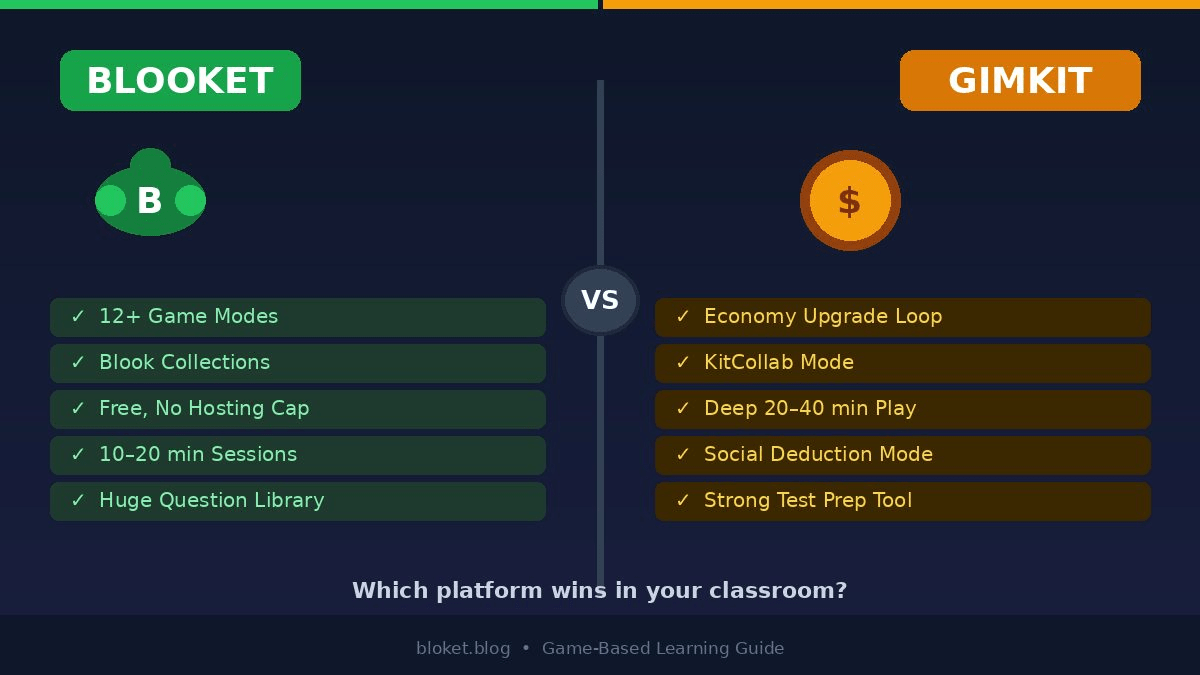
| Approximate game modes | 12+ | 8+ |
| Typical session length | 10–20 min | 20–40 min |
| Free question set limit | Unlimited | Unlimited |
| Community question library | Large (Discover) | Smaller |
| Student economy mechanic | Coins / blooks | Cash / upgrades |
| Student-built question sets | No | Yes (KitCollab) |
| Quizlet import | Yes | Yes |
| Live teacher dashboard | Yes | Yes |
| Post-game reports | Yes (CSV) | Yes |
| Dedicated mobile app | No (browser) | No (browser) |
| Free hosting limit | Unlimited | Monthly cap |
Pricing: what’s actually free
Blooket’s free and Plus tiers
Blooket’s free tier covers everything a classroom teacher needs for consistent use: unlimited game hosting, access to all game modes, unlimited question sets, and full access to the Discover community library. No monthly cap on games hosted.
The paid Blooket Plus subscription adds early access to new modes, expanded analytics, additional host controls during games, and faster blook unlocks for students. Students can also subscribe to Plus for cosmetic perks and exclusive blooks. The free version doesn’t feel limited — Plus rewards heavy users rather than gating basic functionality behind a paywall.
Gimkit’s free and paid tiers
Gimkit’s free tier has a meaningful restriction: teachers can only host a set number of games per month before hitting the cap. For teachers who want Gimkit in weekly rotation, the cap arrives quickly. Gimkit’s paid plan (Gimkit Pro) removes the hosting limit, unlocks all game modes, and adds deeper reporting.
This matters when planning a semester. Blooket’s free tier sustains daily use without pressure. Gimkit’s free tier suits occasional use or teachers testing the platform before committing to a subscription.
Which platform fits your classroom?
Best for younger students
Blooket fits grades 3 through 6 better. The visual rewards — blook reveals, gold stealing, coin animations — land differently for younger students than an upgrade economy does. Shorter session lengths also match tighter elementary schedules. Tower Defense and Cafe give students something to manage beyond answering, which holds attention across a whole review block without fatigue.
Best for sustained content review
Gimkit Classic wins for secondary classrooms running a 30-to-40-minute review session. The compounding mechanic creates ongoing incentive: students who hit a high multiplier want to keep answering to watch their earnings climb. That creates more question reps per student across a session than almost any other format. For a pre-test review block in a high school class, it’s hard to match the engagement-per-minute Gimkit delivers when students understand the mechanics.
Best for long-term student motivation
Blooket’s blook collection system creates persistent motivation that Gimkit doesn’t offer. Students who are grinding toward a rare blook will actively ask when the next Blooket session is. They’ll request specific game modes. They’ll engage more carefully with question content because the game matters to them outside of any single class period. That kind of low-cost motivational carry is rare and worth factoring into a semester plan.
Best for collaborative learning
KitCollab makes Gimkit the stronger choice for classes where student agency in content creation matters. Having students write and submit the questions before they play them turns review into a two-phase process: production and retrieval. Both phases reinforce the same material. Blooket has no equivalent feature.
Mistakes teachers make when choosing
Treating them as interchangeable
They aren’t. Blooket and Gimkit solve different problems. Blooket is better for quick warmups, mixed-ability groups, and classes where session time is under 20 minutes. Gimkit is better for deep review, older students, and sessions where you can afford to let the game run long. Using both intentionally — Blooket for warmups and unit review, Gimkit for end-of-unit sessions — outperforms committing to one platform for everything.
Skipping the orientation session
Gimkit in particular needs at least one throwaway session before students play for real credit or competition. Running KitCollab or Farmchain with a low-stakes question set gives students time to understand the upgrade economy without the pressure of a graded review. Teachers who skip this step and then judge the platform on a chaotic first session are missing the actual experience.
Missing the free tier limits before semester planning
Many teachers discover Gimkit’s monthly hosting cap mid-semester, after they’ve built student expectations around the platform. Checking both platforms’ free tier terms before building a lesson plan around either saves an awkward mid-semester switch. Blooket’s free tier is more forgiving for frequent use. Gimkit’s pushes toward a subscription faster.
Choosing based on what students request rather than learning goals
Students will sometimes advocate hard for whichever platform they played at a previous school. Their enthusiasm is useful data, but it’s not the deciding factor. A class of students excited for Blooket who needs 40-minute sustained review sessions will be better served by Gimkit, enthusiasm aside. Let your session length, class age, and review depth drive the decision.
FAQs
Is Blooket or Gimkit better for teachers? For most teachers, Blooket’s free tier is more practical for everyday use — there’s no monthly hosting limit, and it requires less student orientation before the first session runs smoothly. Gimkit offers stronger tools for collaborative question creation and longer review sessions, which makes it worth adding once students know the platform. The best answer depends on your session length and how much you value student-built content.
Can students join without an account? Yes on both platforms. Students join Blooket and Gimkit games using a code, with no account required. On Blooket, students who do create a free account keep their blook collection between sessions, which adds long-term motivation. On Gimkit, guest play works fine for single sessions with no persistent data saved.
Which platform has more game modes? Blooket has more modes overall — currently more than a dozen, with new ones added periodically. Gimkit’s selection is smaller but each mode is more elaborate in design. Blooket’s breadth is an advantage for preventing repetition across a full school year. Gimkit’s depth rewards students who invest time learning each mode’s strategy.
Does Gimkit really limit free games? Yes. Gimkit’s free account includes a monthly cap on how many games a teacher can host. Students can always join for free. Teachers who want to run Gimkit frequently throughout a semester will typically need a paid Gimkit Pro subscription to remove that limit. Blooket’s free tier does not have an equivalent monthly game cap.
Can I use my own questions on both platforms? Yes — both platforms support custom question sets and both accept imports from Quizlet, which saves time if you already have study sets built. Blooket’s Discover library also lets you search and copy question sets built by other teachers worldwide. Gimkit’s community library is smaller but growing.
Which is better for test prep? For pure repetition — maximizing how many times students encounter each question before an exam — Gimkit Classic’s economy mechanic pushes students to keep answering longer than most other formats. For mixed review with variety and lower-pressure engagement, Blooket’s rotating modes cover more ground without fatigue. A common approach: use Blooket for unit review throughout the term, switch to Gimkit for the week before a major test.
Do either platforms work on phones and tablets? Both are browser-based and function on phones and tablets through a standard mobile browser. Neither has a dedicated app. Performance depends on the device and browser, but both run well on common school devices including Chromebooks and iPads. A stable internet connection matters more than device type.
Conclusion
Blooket wins on variety, accessibility, and persistent student motivation built around the blook collection system. Gimkit wins on depth, collaborative question creation through KitCollab, and sustained engagement across longer review sessions. Neither replaces the other for a teacher who wants to cover the full range of classroom needs across a school year.
If you’re starting with one and have no budget for paid subscriptions, start with Blooket. The free tier supports unlimited classroom use, sessions run quickly enough to fit almost any schedule, and the blook system creates buy-in that carries between lessons. Once students are comfortable with Blooket, add Gimkit for those longer review blocks before major assessments.
Run a Blooket Tower Defense or Gold Quest session in your next class. Pay attention to which students engage who don’t normally, and which students you lose halfway through. That feedback tells you more about your class than any comparison article can.
Engage with content that truly empowers your growth—soak up the knowledge and elevate your entire perspective today.