Blooket vs Pear Deck: which tool wins for your class
Choosing between Blooket and Pear Deck should not be a guessing game. Both platforms promise to make class time more engaging, but they work in fundamentally different ways, serve different moments in a lesson, and appeal to different types of learners. This guide breaks down exactly how they compare, where each one excels, and which setup makes more sense depending on what you actually need.
What are Blooket and Pear Deck?
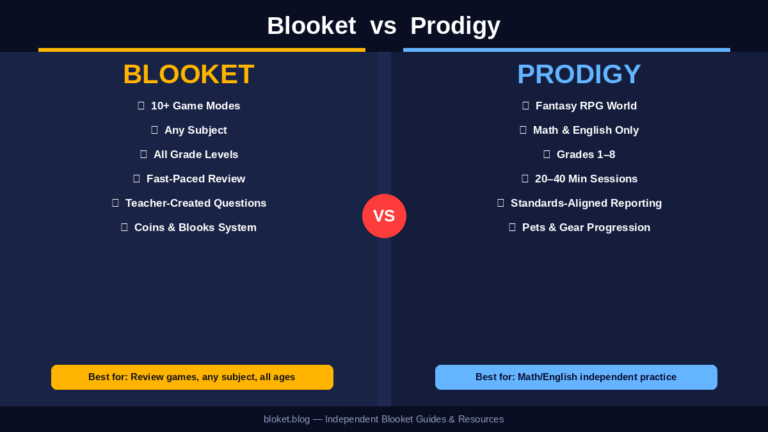
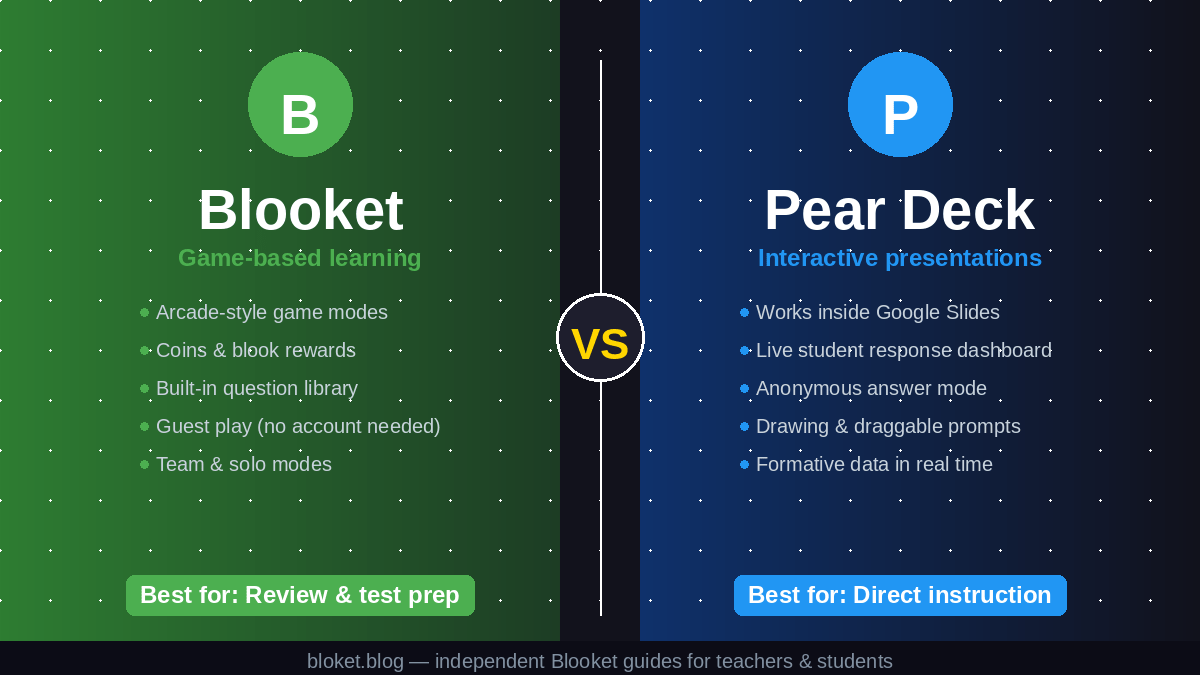
Blooket and Pear Deck both add interactivity to classroom learning, but they approach it from opposite directions. Blooket is a game-based learning platform where students answer questions inside arcade-style games that reward speed, accuracy, and strategy. Pear Deck is a presentation add-on that turns Google Slides or PowerPoint into a live interactive lesson where every student responds in real time through their own device.
Blooket: game-first learning
Blooket runs on question sets that students answer while playing one of several distinct game modes, each with its own visual style and strategy layer. Modes like Tower Defense, Gold Quest, and Factory make answering questions feel like actual gameplay rather than a quiz. Students earn coins and blooks — Blooket’s collectible avatar characters — through correct answers, which creates ongoing motivation to keep playing even after the formal lesson ends.
The platform runs entirely in the browser and works on any device with internet access. Teachers create or import question sets, choose a game mode, and share a join code. Students need no account for guest play, though registered free accounts unlock progress tracking and blook collections across sessions.
Pear Deck: presentation-first interaction
Pear Deck layers live student responses directly into a teacher-controlled slide deck. As a teacher advances through slides, students see each slide on their own device and respond to embedded prompts: multiple choice, short text, drawing, draggable map pins, or numeric input. The teacher’s live dashboard shows all responses as they come in, with the option to display answers anonymously to the class.
Because it connects directly to Google Slides or PowerPoint, it fits naturally into lessons already built around presentations. The teacher stays in control of pacing at all times, which is a deliberate design choice that separates Pear Deck from student-paced tools.
How each platform handles student engagement
Blooket and Pear Deck engage students through different psychological mechanisms. Understanding that difference is what makes the tool selection decision straightforward.
Blooket drives engagement through competition and reward loops. Students want to beat each other’s scores, unlock rarer blooks, and pick up strategies unique to each game mode. That motivation often keeps students focused on content they would normally tune out, because the game layer applies genuine pressure to know the answers.
Pear Deck drives engagement through participation and visibility. Every student answers every question, and because teachers can project anonymized responses on the main screen, even quiet students see their input reflected in the class discussion. There is no leaderboard pressure, which makes it more comfortable for students who find competition stressful or demotivating.
Who engages more with Blooket?
In classroom trials with mixed-age groups, Blooket consistently produced higher visible excitement. Students would ask at the start of class whether they were playing Blooket that day, which is a reliable engagement signal that teachers rarely see with a standard worksheet or slide deck. The game layer is strong enough to sustain attention through content that students consider repetitive or dry.
The downside is speed disparity. Faster readers and higher-achieving students can build commanding leads early in a session, and students who fall far behind sometimes disengage from the content rather than try harder. Choosing game modes thoughtfully — Gold Quest introduces chance, which helps level the field — reduces this problem significantly.
Who engages more with Pear Deck?
Pear Deck’s strength is that participation is near-universal in a way voluntary hand-raising never achieves. Every student must respond to each slide, which means the teacher gets a full picture of understanding rather than a sample from the students willing to speak up. Students who find Blooket’s competition anxiety-inducing tend to actively prefer Pear Deck’s format.
For teachers focused on formative data during instruction, Pear Deck is the stronger tool. Seeing every student’s response to a comprehension question in real time allows course-correcting before a misconception solidifies.
Blooket vs Pear Deck: features compared
Here is a direct side-by-side look at the features that matter most for classroom decisions.
| Feature | Blooket | Pear Deck |
|---|---|---|
| Primary format | Game-based question sets | Interactive slide presentations |
| Device requirement | Any browser, no app needed | Any browser; Google Slides or PowerPoint add-on |
| Student accounts needed | Optional (guest play available) | Not required |
| Teacher pacing control | Minimal (game-driven) | Full (teacher advances slides) |
| Response types | Multiple choice, true/false, match, type-answer | Multiple choice, short answer, drawing, draggable, numeric |
| Real-time feedback for teachers | End-of-game summary report | Live per-slide response dashboard |
| Anonymous response option | No (scores are visible to class) | Yes (responses can be shown without names) |
| Team/collaboration modes | Yes (Team Gold Quest, Team Battle Royale) | No (individual responses only) |
| Free tier | Yes, robust — most game modes included | Yes, limited — most features require Premium |
| Paid tier | Blooket Plus | Pear Deck Premium |
| Community content library | Yes (large shared question set library) | No (teachers build their own slides) |
| Student-paced mode | Not applicable — game runs live | Available on Premium tier |
| Best suited for | Review, drill practice, test prep | Direct instruction, formative assessment |
Which platform fits which classroom scenario?
Neither tool is universally better. The right choice depends on the specific teaching moment you are designing for.
Use Blooket when you need post-lesson review with energy
Blooket is best placed at the end of a unit or before an assessment, when students already know the material and need repetition without boredom. The competition mechanic rewards both speed and accuracy, which makes reviewing 30 questions feel more like a game than a chore. Students who would rush through a study guide actually slow down to read questions carefully when a score is on the line.
Use Blooket when your class responds to rewards
Students motivated by collections, visual progress, and head-to-head competition will put in noticeably more effort. For this group, Blooket turns homework-level content into something they ask to replay, which is a level of voluntary re-engagement that few other tools produce. Teachers who reward top scorers with small classroom privileges often see participation rates rise across the board.
Use Blooket when you want minimal setup time
Blooket’s public question library contains sets covering most standard subjects and grade levels. Teachers can run a high-quality session in under five minutes by finding an existing set and starting a game, with no slide design or prep work required. For spontaneous review or substitute teacher sessions, this matters enormously.
Use Blooket when you have mixed skill levels
Game modes like Gold Quest and Café give less advanced students a genuine chance to compete because strategy and chance both factor into final scores alongside raw accuracy. A student who answers carefully rather than quickly can win in certain modes. This is different from a straightforward quiz where top scores always reflect the fastest, most knowledgeable students.
Use Pear Deck when you are delivering direct instruction
When introducing new content, Pear Deck keeps students actively involved in each step rather than passively watching a slide advance. Embedding a draggable question or drawing prompt every few slides forces cognitive engagement at each stage and prevents the passive slide-watching that reduces retention. Teachers who I spoke with reported that embedding even two or three Pear Deck prompts into a standard lecture meaningfully reduced the number of students who zoned out.
Use Pear Deck when you need formative data during the lesson
Pear Deck’s live dashboard shows every student’s response the moment they submit it. Teachers can stop mid-lesson when the data reveals a widespread misconception and address it immediately, rather than discovering the gap two days later on a quiz. This real-time feedback loop is one of the most practically valuable features in any classroom technology.
Use Pear Deck when your class includes anxious or reluctant participants
The option to project responses without student names removes the social stakes that leaderboards create. Quiet students contribute at the same rate as outgoing ones, because there is no visible consequence for a wrong answer. For classes with a wide range of confidence levels, this feature alone can shift classroom culture over several sessions.
Use Pear Deck when you are already working in Google Slides or PowerPoint
If lessons already exist in these tools, adding Pear Deck requires almost no rebuilding. The add-on integrates directly into the authoring environment, and teachers can add interactive prompts to existing slides in minutes. This zero-restructuring entry point is a significant practical advantage over tools that require content migration.
Pricing and free tier comparison
Both platforms offer functional free tiers, but the ceiling of what the free tier covers differs significantly.
Blooket’s free vs Plus
Blooket’s free tier is genuinely useful. Most game modes are available without a paid subscription, and teachers can create, host, and assign games at no cost. Blooket Plus adds features including longer homework assignments, access to exclusive game modes, advanced statistics, and additional blook customization. The Plus tier is designed for teachers who use Blooket regularly and want deeper reporting, not as a paywall on basic functionality.
Pear Deck’s free vs Premium
Pear Deck’s free tier covers live teacher-paced sessions with a limited set of response types. Several key features, including student-paced mode, drawing responses, audio slides, and complete session reports, require a Premium subscription. Teachers who want Pear Deck’s full formative assessment capabilities will hit the free tier ceiling relatively quickly. Schools often purchase Pear Deck at an institutional level, so individual teachers should check whether their district already has a license before subscribing personally.
What teachers often get wrong about both platforms
Misusing either platform leads to weak outcomes and student frustration. These are the patterns most worth avoiding.
Treating Blooket as a substitute for teaching
Blooket is a review and practice tool. Running a game before students have learned the material produces random guessing, not learning. The scores become meaningless, the game mechanics carry the session, and students pick up nothing durable. It performs best after content has already been taught and initially practiced through other means.
Overloading Pear Deck slides with text
A common mistake is converting a dense slide deck directly into a Pear Deck session without rethinking the content. When a student has to parse 200 words on a slide and also submit a response, cognitive load overwhelms engagement. Effective Pear Deck slides are lean: one idea, one question, and enough visual space for the response to feel approachable. The interaction should feel natural, not crammed into an overfull slide.
Using only one Blooket mode indefinitely
Teachers who find Tower Defense and never explore other modes miss a significant portion of what the platform offers. Gold Quest introduces chance, which keeps lower-performing students competitive. Battle Royale creates urgency through elimination. Factory requires consistent sustained output rather than bursts. Matching different modes to class energy and content type produces noticeably stronger sessions than defaulting to the same mode every time.
Ignoring Pear Deck’s student-paced mode
Premium users who only run Pear Deck in live teacher-led mode miss a flexible second use case. Student-paced mode lets individuals move through slides independently, which works well for differentiated homework, learning stations, or makeup sessions after an absence. Treating Pear Deck purely as a live presentation tool underuses a meaningful part of the platform.
FAQs
Is Blooket or Pear Deck better for elementary students? Both work at the elementary level. Blooket tends to land better with students in grades 3 through 5 because the game mechanics are immediately intuitive and the blook characters add strong visual appeal. Pear Deck’s drawing and draggable response types also suit younger learners well, particularly students who are not yet fast typists and benefit from non-text interaction modes.
Can you use Blooket and Pear Deck together in the same lesson? Yes, and many teachers structure lessons this way. A common approach is Pear Deck for the instruction phase, where the teacher controls pacing and checks comprehension in real time, followed by a Blooket game for practice and review at the end of class. The two tools serve genuinely different purposes, so combining them adds value rather than redundancy.
Is Pear Deck free to use? Pear Deck has a free tier that covers basic live session interaction with limited response types. Most advanced features, including student-paced mode, drawing responses, audio slides, and detailed exportable reports, require a paid Premium subscription. Teachers should check whether their school or district already holds an institutional license before purchasing individually.
Does Blooket work without student accounts? Students can join any Blooket game as guests using only the teacher’s join code. No account is required. Guest play does not save progress, blooks, or coin balances between sessions, but everything works for that session. A free registered account lets students carry their collection forward across multiple classes and track their own performance over time.
Which platform works better for high school students? High school students generally respond well to both platforms, but Pear Deck tends to fit more naturally into high school content delivery because it supports nuanced responses like short text answers and drawing, which suit more complex analytical tasks. Blooket works particularly well for vocabulary review, quick-recall content, and test preparation, where speed-and-accuracy competition is a useful motivator at any grade level.
Does Pear Deck integrate with Microsoft PowerPoint? Pear Deck’s primary integration is with Google Slides, and that is where the full feature set is available. A PowerPoint integration exists but is less complete than the Google Slides experience. Teachers working primarily in Microsoft 365 should run a full test session before committing Pear Deck to a formal class, as some features behave differently in the PowerPoint workflow.
Which platform offers better progress tracking? Blooket tracks question accuracy, session scores, and game history for registered students through its teacher dashboard, making it easy to spot which specific questions students consistently miss. Pear Deck generates session reports showing each student’s response per slide. Blooket’s tracking works better for identifying recurring knowledge gaps across multiple sessions. Pear Deck’s tracking works better for understanding what students understood during a single lesson.
Can Blooket be assigned as homework? Yes. Teachers can assign Blooket games in homework mode, where students complete the game independently at home in a set timeframe. Students must have registered accounts for homework assignments to be tracked and reported back to the teacher. This extends Blooket’s use beyond class time and works well for exam review sent home the evening before a test.
Conclusion
Blooket and Pear Deck are not rivals trying to do the same thing. They solve different problems at different stages of a lesson, and recognizing that distinction makes the decision straightforward. Blooket earns its place in review sessions and practice rounds where motivation and energy are the primary challenge. Pear Deck earns its place in direct instruction and formative assessment where participation and real-time data are what matter most.
For most teachers, the practical answer is not either/or. Building both into regular rotation gives you a tool for every phase of a lesson: deliver and check understanding with Pear Deck, then reinforce and energize with Blooket. Start with the free tier of each, run one session this week, and let your specific students tell you which one sticks.
Leverage seasoned expert advice to conquer tough problems—begin your deep dive into our vast resources today!