Best Kahoot Alternatives like Blooket for Classrooms
Kahoot built the quiz-game category. But after years of the same format—countdown timer, class leaderboard, next question—many teachers and students want something more. You might need self-paced play, richer question types, or a mechanic that keeps stragglers engaged rather than sidelining them after one wrong answer. Blooket addressed several of those gaps, and a wave of other platforms addressed others.
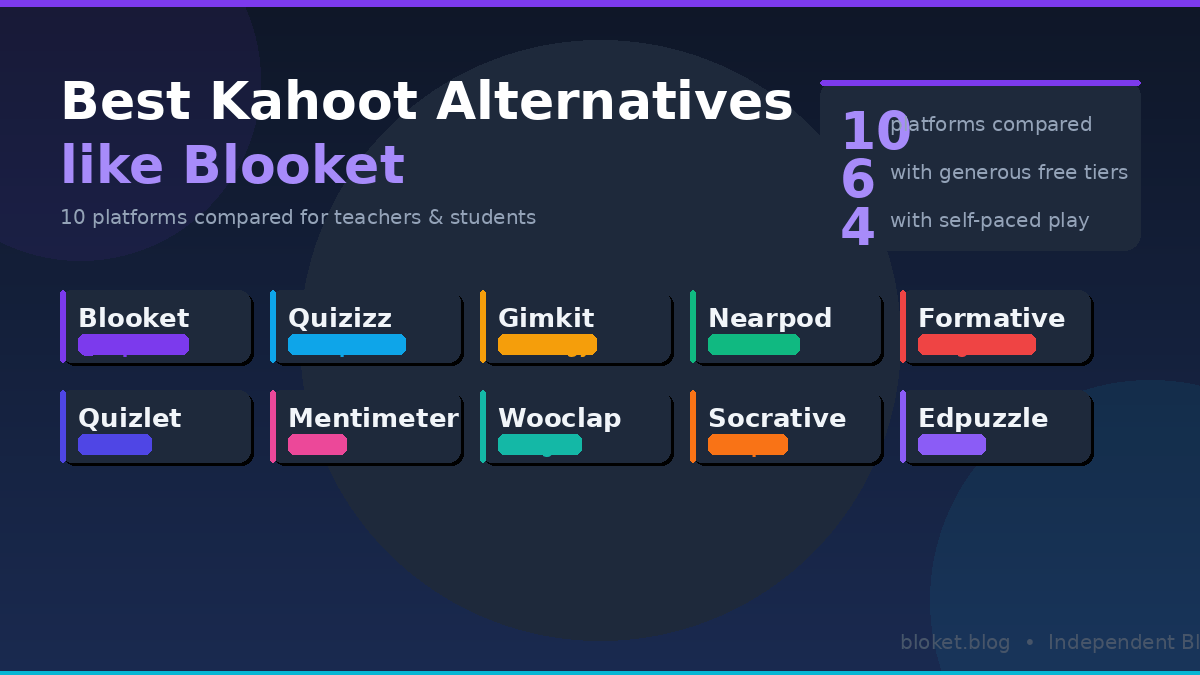
This guide covers 10 of the strongest Kahoot alternatives, starting with Blooket and working through platforms that bring genuinely different approaches to game-based learning. For each one, you’ll find what it does best, where it falls short, and which classroom situations suit it. By the end, you’ll have a clear picture of which tool belongs in your lessons—or on your students’ devices.
Why Kahoot still has competition
Kahoot’s loop is simple: project a question, students race to answer on their phones, the fastest correct answer earns the most points. That works well for review sessions and warm-ups. But it has real constraints that push teachers and students toward alternatives.
The speed-over-accuracy problem
When points depend on speed, slower readers and students on older devices consistently land near the bottom—even if they get every answer right. A student who understands the material but types slowly loses to someone who guessed quickly. That outcome is demoralizing in a classroom built around learning rather than reflexes.
Limited free question types
Kahoot’s free tier sticks mainly to multiple choice and true/false. Ordering, open-ended, and poll question types require a paid plan. Several alternatives—including Blooket and Quizizz—include more variety without a subscription.
Asynchronous play requires a subscription
Kahoot’s assign mode, which lets students work through a quiz at their own pace outside of class, sits behind a paywall. Many free alternatives handle this out of the box, which matters for homework assignments and absent students catching up.
The 10 best Kahoot alternatives like Blooket
These platforms range from full game-based ecosystems to formative assessment tools with game elements. Each was evaluated on free-tier generosity, engagement mechanics, question-type variety, and ease of setup.
1. Blooket
Blooket is the closest comparison to Kahoot in spirit, and it moves the format forward in a meaningful way. Instead of one game mode, Blooket offers around a dozen, each with a completely different mechanic. Tower Defense has students answering questions to hold off waves of enemies. Gold Quest adds a random element: correct answers earn coins, but opponents can steal them. Factory mode rewards consistent accuracy over longer sessions.
The same question set feels different across modes, which keeps replay value high. Students who’ve played a set in Gold Quest will ask to try it again in Tower Defense—that kind of repeat engagement rarely happens with Kahoot’s single format.
Free tier: Very generous. Most game modes, unlimited question sets, and student join codes are all available without a subscription. A paid Plus tier exists for extra customization and hosting features.
Best for: Classrooms wanting high engagement and variety without spending money.
2. Quizizz
Quizizz lets every student work at their own pace rather than the class’s pace. Questions appear on each student’s device, and they move forward when ready. The teacher sees a live dashboard showing who is ahead, who is stuck, and where the class as a whole is struggling.
Questions support images, audio clips, and video, and the free tier includes open-ended responses. A “lessons” mode mixes instructional slides with quiz questions, making Quizizz useful for introducing new content rather than only reviewing it.
Free tier: Strong. Self-paced play, custom question sets, and the teacher dashboard are all available at no cost.
Best for: Mixed-ability classes and homework assignments.
3. Gimkit
Gimkit was built by a high school student, and the design reflects a player-first perspective. The core mechanic is earn-and-spend: correct answers earn in-game cash, which students reinvest to boost their earning rate. This creates a feedback loop that keeps fast finishers occupied while slower students remain motivated—both groups are still working toward something.
Several modes stand out. Trust No One borrows from social deduction games, where students identify an imposter while answering questions. Fishtopia is a fishing idle-game driven by correct answers. These go well beyond Kahoot’s single competitive format.
Free tier: Limited. Gimkit restricts how many live games a teacher can host per month without a paid Kit plan. The subscription is reasonably priced, but the monthly cap is worth knowing before committing.
Best for: High school classes and students who engage well with strategy or social mechanics.
4. Quizlet Live
Quizlet is best known as a flashcard platform, but Quizlet Live transforms study sets into collaborative team games. Students are split into groups, and no single player has all the answers—teammates must communicate to match terms with definitions. This is useful for reviewing vocabulary and concepts where discussion deepens retention more than solo play does.
The question variety is narrower than Blooket or Quizizz since it centers on term-definition matching. Within that constraint, it works extremely well, especially for language learning and science vocabulary.
Free tier: Quizlet Live is available on free accounts, though some study-mode features sit behind a paywall.
Best for: Vocabulary review, language classes, and collaborative learning exercises.
5. Nearpod
Nearpod is less of a game platform and more of an interactive lesson builder with game elements inside it. Teachers create slide-based lessons and embed polls, quizzes, virtual reality activities, simulations, and collaborative whiteboards. Students follow along on their devices in sync with the teacher’s display.
Engagement comes from variety and participation rather than competition. There are no leaderboards by default, which some teachers prefer—particularly in younger classrooms where heavy competition creates anxiety rather than motivation.
Free tier: Free accounts support lessons up to 50 slides with unlimited students, which covers most classroom scenarios comfortably.
Best for: Full interactive lessons rather than standalone review games.
6. Mentimeter
Mentimeter was built for live audience interaction—originally for corporate presentations, but with a strong following in education. Teachers present a slide deck and students respond through a join code. Response types include word clouds, multiple choice, ranking, scales, and open-ended text.
The word cloud feature alone makes it worth knowing. Asking a class “what’s one word that describes osmosis?” and watching responses appear live gives the teacher immediate, visible feedback on conceptual understanding. Mentimeter is less game-based than Blooket or Gimkit, but it excels at discussion starters and comprehension checks.
Free tier: Free plans limit the number of questions per presentation and restrict some response types.
Best for: Discussion starters, opinion polls, warm-ups, and university lectures.
7. Formative
Formative is a teacher-first platform built around real-time feedback rather than games. Teachers create assignments with multiple question types—including drawn responses, audio recordings, and equation inputs—and watch student work appear live on a class dashboard. Correct answers auto-grade; open responses are flagged for manual review.
A math teacher can watch a student’s working method appear on screen and intervene before the student submits a wrong final answer. That level of diagnostic visibility is something Kahoot, Blooket, and most game-first platforms simply don’t offer.
Free tier: Very generous. Real-time monitoring, most question types, and class dashboards are available at no cost.
Best for: Math and science formative assessment, and teachers who need to catch misconceptions before they solidify.
8. Wooclap
Wooclap supports over a dozen interaction types, including some that other platforms don’t offer. The “find on image” question type asks students to click on the correct part of a diagram or map—genuinely useful for anatomy, geography, and art history in ways that standard multiple choice cannot replicate. Fill-in-the-blank, matching, and speed quiz modes round out a varied toolkit.
Free tier: Free accounts support up to 1,000 participants per event, which comfortably covers any classroom. Some advanced question types require a paid plan.
Best for: Higher education and image-heavy subjects like geography, anatomy, or visual arts.
9. Socrative
Socrative is one of the older platforms on this list, and the interface reflects that—less visually polished than Blooket, but reliable and feature-complete. The Space Race game mode places student teams in rocket ships that advance with correct answers, which adds enough friendly competition to hold attention without the complexity of Blooket’s ecosystem.
The exit ticket mode is a practical standout: a three-question quiz at the end of class that auto-generates a summary report for the teacher. It’s a fast formative check that requires zero extra setup.
Free tier: Free accounts support one active room with up to 50 students.
Best for: Teachers who want a dependable, low-complexity tool without a steep learning curve.
10. Edpuzzle
Edpuzzle adds interactivity to video content. Teachers take any YouTube video—or upload their own—then embed multiple choice or open-ended questions at specific timestamps. Students cannot skip ahead until they’ve answered. This is less of a direct Kahoot replacement and more of a complement: effective for flipped classroom models where the homework is a guided video lesson.
Free tier: Free accounts support up to 20 videos. A paid plan removes that cap.
Best for: Flipped classrooms and video-based content delivery.
How these platforms compare at a glance
| Platform | Game-based? | Self-paced? | Free tier strength | Best age group |
|---|---|---|---|---|
| Blooket | Yes – many modes | Yes | Very generous | Elementary–High school |
| Quizizz | Partly | Yes | Strong | Middle–University |
| Gimkit | Yes – many modes | No | Limited (monthly cap) | Middle–High school |
| Quizlet Live | Partly | No | Yes | Middle–University |
| Nearpod | Partly | No | Yes (50-slide limit) | Elementary–University |
| Mentimeter | No | No | Limited | High school–University |
| Formative | No | Yes | Very generous | Elementary–University |
| Wooclap | Partly | No | Yes (1,000 participants) | High school–University |
| Socrative | Partly | Yes | Yes (50 students) | Elementary–High school |
| Edpuzzle | No | Yes | Yes (20 videos) | Elementary–University |
How to pick the right Kahoot alternative
Three factors narrow the field quickly: the kind of engagement you want, the devices your students have, and how much setup time you have before the next session.
Game energy vs. diagnostic accuracy
Blooket and Gimkit maximize game energy. Students are genuinely playing something, and the learning is embedded inside that play. Formative and Edpuzzle flip the priority—they’re diagnostic tools first, and the engagement is a secondary benefit. Quizizz and Nearpod sit between those poles.
For a fun review session the day before a test, Blooket is usually the right answer. To identify exactly which students don’t understand a specific concept, Quizizz’s live dashboard or Formative’s real-time monitoring delivers more useful data than any leaderboard.
Device and bandwidth considerations
All ten platforms are browser-based and work on phones, tablets, and laptops without app downloads for student participation. Nearpod and Edpuzzle consume more bandwidth because they stream slides and video—worth knowing in schools with slower internet connections or older hardware. Blooket, Quizizz, and Socrative load quickly and run cleanly even on budget devices.
Where free tiers actually hold up
Most platforms follow the same model: a generous free tier for daily classroom use, with a paid tier for higher limits or extra features. The most functional free tiers belong to Blooket, Quizizz, and Formative. Gimkit’s free option is the most restrictive in practice—the monthly hosting cap is a real constraint for teachers who run game sessions several times a week.
Making the switch from Kahoot
Switching platforms mid-year sounds more disruptive than it is. Students adapt quickly—especially to platforms that are more engaging than what they already know.
Import your existing questions
Quizizz and Gimkit both allow teachers to import question sets directly from Kahoot. Blooket doesn’t have a native Kahoot importer, but copying questions into Blooket’s set editor is quick once you know the layout. Most teachers transfer a 20-question set in under 10 minutes.
Start with one platform, not three
Teachers who try to evaluate Blooket, Quizizz, and Gimkit simultaneously rarely settle on any of them. Pick the one platform that solves your most immediate problem—Blooket for game days, Formative for diagnostics—and use it consistently for a few weeks before adding anything else.
Give students time to explore first
The first time you introduce a new platform, allow five minutes for students to click around before the actual session begins. This removes login friction and curiosity-driven distractions during the lesson. Students who know the interface from the start stay focused once the content begins.
FAQs
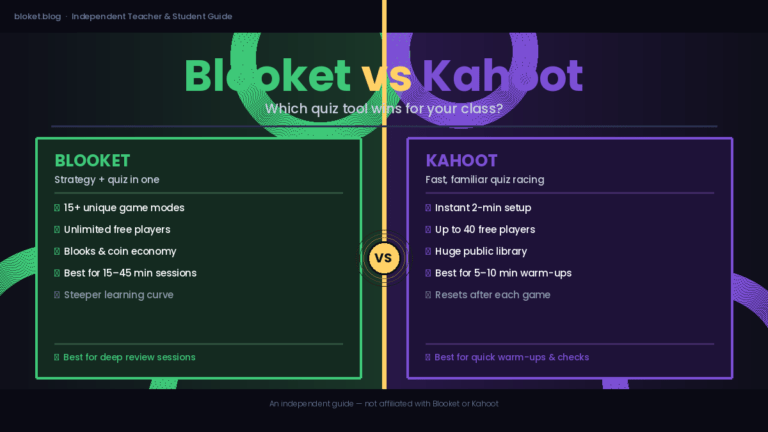
Is Blooket better than Kahoot? Blooket offers more game modes and a more generous free tier, giving teachers more variety without a subscription. Kahoot has a larger public question library and faster first-time setup. Which is better depends on whether you prioritize game variety or quick launches—many teachers keep both in rotation and use each one for different purposes.
Can I use these platforms for free? Yes. Blooket, Quizizz, Nearpod, Formative, and Socrative all have free tiers that cover most everyday classroom needs. Gimkit’s free option limits how many live games you can host per month, which can be a constraint for teachers who run game sessions frequently throughout the week.
Do these platforms work on mobile phones? All ten platforms on this list are browser-based and mobile-friendly. Students can join from any device with a browser and a stable internet connection. Most don’t require an app download to participate as a player.
Which alternative works best for homework? Quizizz and Edpuzzle are the strongest options for at-home, asynchronous assignments. Both support self-paced completion and give teachers a clear report showing who has finished and how each student performed.
Are these tools safe for students under 13? Most platforms comply with COPPA and FERPA in the US and equivalent student privacy laws internationally. Blooket, Quizizz, and Nearpod all publish student privacy documentation. Always review a platform’s current privacy policy before using it with younger students, as policies are subject to change.
Which platform needs the least setup time? Blooket and Socrative are among the fastest to launch. Both let a teacher find or create a question set and start a live game in under two minutes. Quizizz is nearly as fast, with the added benefit of a large library of ready-made sets covering most school subjects.
Can I run two platforms in the same class? Technically yes, but there is rarely a reason to do so in a single lesson. The more practical pattern is using different platforms for different purposes—Blooket for Friday review games and Formative for Monday diagnostic checks. Students join each with a separate code, and there is no technical conflict between them.
Conclusion
Kahoot is still a solid tool—but it’s no longer the only option, and for many classrooms it’s not the best one. Blooket’s game variety, Quizizz’s self-paced flexibility, Gimkit’s earn-and-spend mechanics, and Formative’s real-time diagnostics all address problems that Kahoot leaves unsolved.
The clearest next step: pick the one platform from this list that solves your most pressing classroom problem and try it with one class this week. Most are free to start, and setup takes under five minutes. You don’t need to rebuild your whole toolkit—just add the one tool that works better than what you already have.
Unlock a treasure trove of hidden wisdom and tactics—flip through our featured topics and watch your confidence soar.