Blooket Plus family plan guide for parents and teachers
Parents searching for a Blooket Plus family plan are usually trying to answer one practical question: can a single subscription cover more than one player at home. This guide breaks down what Blooket Plus actually includes, how households can share it sensibly, and what to check before paying for it. By the end, you will know exactly how the subscription works for home use and how it compares to a school-issued account.
What blooket plus actually includes
Blooket Plus is a paid subscription tier that unlocks extra game modes, custom themes, and hosting tools beyond what the free version offers. It is sold as an individual account upgrade, not a household package, so the features attach to the account holder rather than to a physical address or family unit.
When I tested a Plus account across a few weeks of home use, the upgrade mattered most for hosting variety. Free accounts can still play and host games, but Plus accounts get access to additional game modes and the ability to import questions in bulk, which speeds up building a set from scratch.
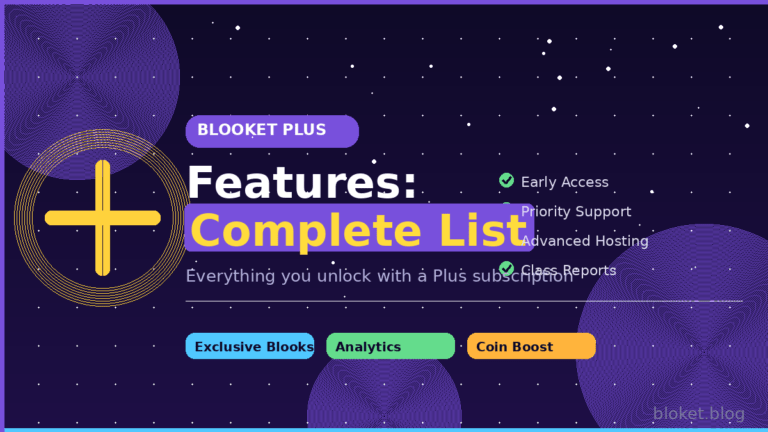
Core features included with plus
The subscription centers on a handful of upgrades that show up the moment you log in.
- Access to extra hosting modes beyond the free rotation
- Custom theme options for the live game screen
- Bulk question import from spreadsheets
- Priority access to newly released modes during early rollout windows
- Higher limits on the number of questions per set
These upgrades stack together over a typical session. A parent hosting weekly review games benefits most from the combination of bulk import and a higher question cap, since both speed up the work of turning a worksheet or textbook chapter into a playable set rather than typing each question by hand.
What stays free regardless of plan
Anyone can still create an account, build question sets, join games with a code, and host basic modes without paying anything. Plus does not gate the ability to play; it gates extra hosting variety and creation tools. That distinction matters for families deciding whether the upgrade is worth it for casual home practice versus regular set-building.
How the upgrade feels in actual gameplay
In my own trial runs, the difference between free and Plus was rarely noticeable to the kids playing. They cared about which mode was running and how fast the questions appeared, not which subscription tier powered the session. The upgrade mattered far more to whoever was building sets and choosing modes ahead of time, since that person gets a wider menu of hosting options and faster set creation.
That gap matters for families. If a parent is the one preparing material for a younger sibling, Plus saves real setup time. If the household mostly relies on sets built by a teacher or pulled from a public library, the extra creation tools go largely unused.
Question set limits in practice
Free accounts can still build a reasonable number of sets and questions per set, enough for casual home practice. Families building large custom libraries across multiple subjects, or importing question banks from a spreadsheet a teacher shared, run into the cap sooner and benefit from the higher limit that comes with Plus.
Is there an official family plan
There is no separate “family” tier sold by Blooket. A Plus subscription is tied to one account and one login, so the term “family plan” describes how households choose to use a single subscription rather than a distinct product Blooket sells.
Because the subscription lives on one account, the most common approach for households is sharing login credentials between a parent and child, or between siblings, rather than buying separate subscriptions for each person. This works within Blooket’s terms as long as the account is used by the people in that household rather than resold or shared publicly.
Why the terminology gets confusing
Search results often mix up “family plan” with classroom and school plan options because Blooket primarily markets Plus toward teachers running a single classroom account. Parents adopting the same subscription for home learning are using a teacher-facing product in a home context, which is perfectly fine but explains why no parent-specific marketing page exists.
What this means for your search
If you came looking for a discounted multi-seat family bundle, that product does not currently exist as a standard offering. If you came looking for whether one subscription can reasonably serve a household with two or three kids, the answer is yes, with some practical setup choices covered below.
How this compares to other subscription apps families already use
Many households are used to streaming or learning apps that explicitly sell a family tier with multiple profiles under one price. Blooket’s model is closer to a single professional account, similar to a software license, where the value comes from the account holder’s tools rather than separate profiles for each family member. Understanding that distinction upfront avoids the disappointment of looking for a profile-switching feature that does not exist in the same way it does on other platforms.
How to set up one account for a household
Setting up a single Plus account to serve multiple kids at home is straightforward once you decide how strict you want activity separation to be.
- Create one account using a parent email address so password resets and billing stay under adult control.
- Decide whether each child gets their own player profile inside games or simply joins with their name each session.
- Build or save question sets in folders labeled by subject or child so siblings are not editing the same set simultaneously.
- Set a household rule for who hosts versus who joins, since only the host needs to be logged into the Plus account during a session.
- Review saved sets periodically and delete ones that are no longer in use to keep the account organized.
Handling multiple kids with different needs
When I ran this setup with two students of different grade levels in a trial classroom, the easiest fix was keeping separate folders per subject rather than per child. A second-grade reading set and a fifth-grade math set rarely overlap, so folder-by-subject avoided mixing up content even though both kids used the same login.
Avoiding account lockouts
Shared logins increase the chance of password issues if multiple people are signing in from different devices. Use a password manager or a written note kept somewhere secure, and avoid changing the password without telling everyone using the account, since that is the most common cause of a sudden lockout during a session.
Keeping younger kids supervised during setup
Younger players generally should not be the ones logging into the account directly, especially during initial setup when billing details are visible on screen. A short rule that works well in practice: the parent account holder logs in and starts the session, then hands over a device once the game lobby is open and no account settings are visible.
Switching between host and player roles smoothly
Only the device hosting the game needs to be signed into the Plus account. Every other device, whether a sibling’s tablet or a friend’s phone, joins using the room code without needing any login at all. This means a family of four can play together using one paid account, one host device, and three join-only devices with no extra cost.
Building a simple routine for recurring practice
Households using Blooket for regular homework review tend to do better with a short weekly routine rather than ad hoc sessions. Picking a fixed day, reusing a small rotation of subject folders, and letting the same parent stay responsible for hosting keeps the shared account organized instead of accumulating duplicate or abandoned sets over time.
Cost considerations for home use
Blooket Plus is billed as a recurring subscription, typically offered in monthly and annual pricing plans, with the annual option usually working out cheaper per month than paying monthly. Exact pricing changes over time, so checking the official pricing page before purchase is the only reliable way to confirm current numbers.
For a household weighing the cost, the calculation usually comes down to frequency of use. A family using Blooket for daily homework review gets more value per dollar than one using it for occasional weekend practice.
Comparing plus against staying free
| Factor | Free account | Plus account |
|---|---|---|
| Hosting basic modes | Yes | Yes |
| Extra hosting modes | No | Yes |
| Bulk question import | No | Yes |
| Custom live-game themes | No | Yes |
| Question set limit | Lower cap | Higher cap |
| Cost | None | Recurring subscription |
When the upgrade is worth it
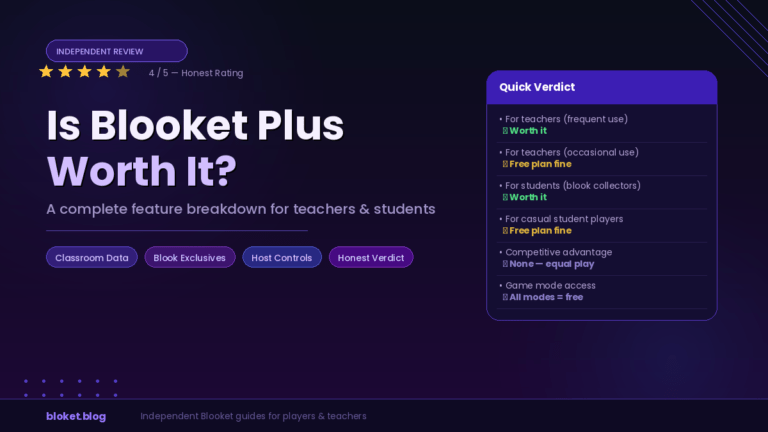
Families that build their own custom question sets regularly, or who want access to newer hosting modes, tend to get clear value from Plus. Families that mostly join games hosted by a teacher rarely need to upgrade at all, since joining never requires a paid account.
Running a short trial before committing
A practical way to decide is using the free tier or a free trial for two or three weeks first, tracking how often hosting features actually get used. If the free tier already covers most sessions, the subscription is unlikely to add enough value to justify the recurring cost. If hosting limits or missing modes come up repeatedly, that is a clearer signal the upgrade fits.
Splitting the cost across a household fairly
In multi-child households, some parents informally treat the subscription as a shared household expense the same way they would a streaming service, rather than tying it to one specific child. Framing it this way also makes it easier to decide later whether to keep paying once the oldest child outgrows regular use.
Alternatives if a paid plan does not fit the budget
Free accounts already cover basic hosting and unlimited joining, which is enough for households that mainly play games a teacher has already built. Public, teacher-shared sets can often substitute for custom set-building, reducing the need for the bulk import tools that come with Plus.
Common mistakes households make
A handful of avoidable mistakes account for most of the frustration parents report after subscribing.
Assuming a family discount exists
Some parents expect a per-child discount similar to streaming service family tiers. Blooket does not currently structure pricing this way, so budgeting around a single flat subscription cost is the safer assumption.
Sharing login details too widely
Sharing a login with siblings at home is reasonable. Sharing it across an extended friend group or posting credentials publicly violates standard account terms and risks the subscription being suspended.
Forgetting that joining never requires plus
A surprising number of support questions come from parents who paid for Plus before realizing their child only ever joins games hosted by a teacher. In that scenario, no subscription is needed on the child’s side at all, since the host’s account is the one carrying the Plus features.
Not checking device compatibility first
Blooket runs in a browser on most laptops, tablets, and phones, but very old devices or restricted school-managed tablets sometimes block certain browser features. Testing the free tier on the actual device before paying for Plus avoids buying an upgrade that the device cannot fully use.
Privacy and safety for households
Parents weighing a subscription often want to know how account data and child activity are handled before committing money or an email address to the platform.
What information the account actually needs
Setting up an account typically requires an email address and a password, with no requirement to enter a child’s personal details directly if the parent account holder is the one registering. Keeping the registration email as the parent’s own, rather than a child’s, keeps account recovery and billing communication in adult hands.
Limiting exposure during shared sessions
When hosting a game for siblings or a small group of friends, using a join code rather than a public game listing keeps the session limited to people who were given the code directly. This is a simple habit that reduces the chance of unknown players joining a home session.
Reviewing saved content periodically
Question sets built over time can accumulate personal details if a parent or child includes them in custom questions without thinking about it. A quick periodic review of saved sets, deleting anything outdated or overly personal, keeps the account tidy and reduces unnecessary data sitting in old folders.
FAQs
Does Blooket sell a dedicated family plan separate from the teacher plan? No. Blooket Plus is a single-account subscription. Households typically share one account rather than buying a separate family-specific tier, since no multi-seat family product currently exists.
Can siblings share one Blooket Plus account? Yes, siblings can share one account at home. Using separate folders for question sets by subject helps avoid mixing up content between different kids using the same login.
Do my kids need Plus just to join games at school? No. Joining a hosted game only requires a join code, not a paid account. Only the person hosting the game needs the Plus subscription active.
Is the annual plan cheaper than paying monthly? Typically yes, annual billing works out to a lower monthly cost than paying month to month, though exact pricing should be confirmed on the official site since it can change.
What happens if I cancel Plus mid-subscription? Your account generally keeps Plus features until the current billing period ends, then reverts to the free tier. Saved sets and progress are not deleted, only the extra hosting features become unavailable.
Can I switch the account email after setup? Most account settings, including the linked email, can be updated from the account dashboard. Doing this carefully avoids losing access if the new email is entered incorrectly.
Will my child lose their progress if we stop paying for Plus? No. Question sets, saved games, and basic activity history stay attached to the account. Only the Plus-exclusive hosting modes and tools become locked again.
Is it against the rules to share an account with my own children? Sharing within a household is standard practice and not a violation. The terms are aimed at preventing public resale or mass sharing outside a household, not normal family use.
Should I buy Plus before or after testing the free version? Testing the free version first is the safer order. It lets you confirm the device works well and shows whether your household actually runs into the limits that Plus removes before paying for the upgrade.
Final thoughts
A Blooket Plus family plan, in practice, means one subscription managed by a parent and shared sensibly across the kids at home. There is no separate family-tier product to buy, so the real decision is whether your household uses hosting features often enough to justify a single subscription. Check the current pricing page, decide who in the house will host versus join, and set up folders before your first session to keep things organized from day one. Running a short free trial first, reviewing saved sets periodically, and keeping billing details under one parent’s email will keep the whole setup simple no matter how many kids end up using it.
Equip yourself with tools that solve everyday problems—browse our solution-driven posts and start fixing things now.