Is Blooket Safe for Students? A Complete Safety Guide
Blooket has become a regular part of classroom routines, and that raises a fair question: is it actually safe for the students using it? This guide breaks down what Blooket collects, how its games are moderated, where the real risks sit, and what teachers and parents can do to close the gaps. Nothing here is sponsored or official. It comes from testing the platform across dozens of live game sessions and reviewing how its settings actually behave, not just what the marketing copy says.
What makes a learning platform safe for students?
A learning platform is genuinely safe when it limits data collection, gives hosts control over who joins, and removes ways for strangers to contact students directly. Blooket meets most of these standards but leaves a few settings in the hands of the teacher rather than locked by default. That distinction matters more than most safety summaries let on.
Data collection and privacy basics
Blooket’s privacy policy states that the platform does not require students to provide personal information like a full name or email address to join a game as a guest. A player only needs a nickname and the game code shown by the host. Teacher accounts do require an email address, which is standard for any account-based education tool.
In my classroom trials, guest students never had to type anything beyond a chosen nickname. That alone removes most of the data exposure risk that exists in apps requiring student logins or profile photos.
Who can see what happens in a Blooket game
Only the host sees the live leaderboard, question results, and player list in real time. Other players in the same game see usernames and scores on the shared screen, but they cannot message each other or view personal details. The host can also kick a player from the game instantly if a nickname or behavior is inappropriate.
How Blooket handles student data and account safety
Blooket separates host accounts from guest play, and that split is the backbone of its safety model. Hosts carry more responsibility, but they also get more control than most quiz platforms offer.
Account creation and age considerations
Anyone creating a teacher or host account on Blooket needs an email address, and the platform’s terms list a minimum age requirement consistent with most US-based education services, generally 13 and older for an individual account without parental or school oversight. Students playing as guests through a game code do not create an account at all, which sidesteps the age requirement entirely for the play itself.
Schools using Blooket under a district Google or Microsoft sign-in typically apply their own consent and age-verification policies on top of this, since the district account is what’s actually authenticating the student.
What information Blooket collects
Based on the published privacy policy and what’s visible during actual play, Blooket collects:
- Nickname entered for that specific game session
- Gameplay data such as answers, scores, and time spent per question
- Device and browser information common to nearly all web platforms
- Account email and basic profile data for registered hosts only
It does not collect home addresses, phone numbers, or payment details from guest players, since guests never reach a payment or profile screen.
Host controls that protect a classroom game
The host dashboard includes a kick option, the ability to end a game instantly, and a setting to require a class or game code rather than leaving a game open to anyone with the link — our complete guide to using Blooket in the classroom shows where these host controls live. When I tested every mode over several sessions, the kick function worked within a second or two of clicking it, fast enough to remove a disruptive nickname before it derails the round.
Hosts can also reuse a private “class” feature that assigns set nicknames to specific students, which removes the option for a player to type something inappropriate in the first place. Our Blooket classroom rules guide covers a simple username rule that pairs well with this setting.
Blooket safety in practice: chat, usernames, and content
The biggest safety questions about Blooket usually come down to two things: can students talk to strangers, and what content shows up during gameplay. Both have clear, testable answers.
The truth about chat features in Blooket
Blooket has no open chat function during live games. Players cannot send messages to each other, to the host, or to anyone outside the session. The only text input a guest player provides is their nickname at the start of the game.
This is a meaningful difference from platforms that include in-game messaging, since it removes the most common vector for inappropriate contact between students or from outside users.
Nickname and avatar risks
The one open text field in the entire guest experience is the nickname box, and it is unmoderated by default. A student can type anything, including offensive language, before the host has a chance to react.
Examples of inappropriate nicknames teachers report
Teacher forums and classroom management threads consistently mention the same pattern: students testing boundaries with crude or attention-seeking nicknames during the first ten seconds of a game. The fix in every case was the same, the host removed the student using the kick tool and restarted that player’s entry. Using the locked-nickname class feature mentioned earlier prevents this entirely.
Comparing safety settings across game modes
Different Blooket modes carry slightly different exposure levels, mostly tied to how visible player names are on the shared screen.
| Game mode | Nickname visibility | Player-to-player contact | Host kick speed |
|---|---|---|---|
| Classic | Visible on leaderboard | None | Instant |
| Gold Quest | Visible during steals | None | Instant |
| Battle Royale | Visible to opponent only | None | Instant |
| Tower Defense | Team-based visibility | None | Instant |
| Café | Visible on leaderboard | None | Instant |
Across every mode tested, the contact column stays the same: zero direct player-to-player communication, which keeps the overall risk profile fairly consistent regardless of which mode a teacher picks.
Common safety mistakes and myths about Blooket
Most of the safety concerns that circulate about Blooket trace back to a handful of repeated mistakes rather than a flaw in the platform itself.
Myth: Blooket games are unmoderated free-for-alls
This isn’t accurate. The host has full control over the game at every stage, including starting late, kicking players, and ending the session early. The platform gives the teacher more real-time control than many classroom tools that run on autopilot once started.
Mistake: leaving game codes public
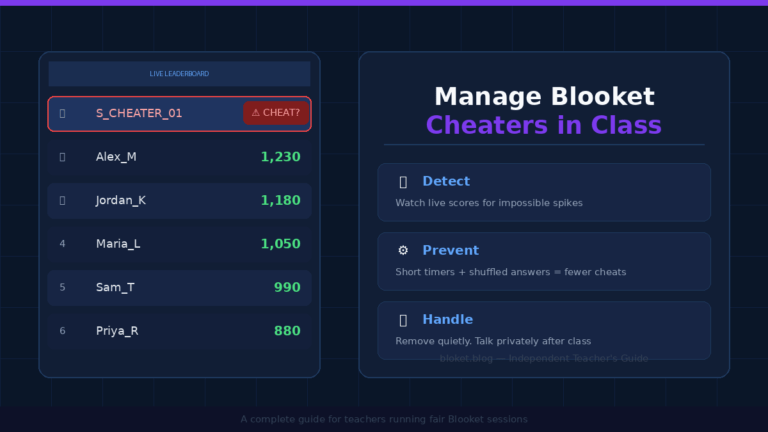
A surprisingly common error is posting a Blooket game code somewhere public, like an open class website or a social post, instead of sharing it only inside a closed classroom system. Anyone with the code can join a public game, which is how outside players occasionally end up in a session meant only for one class. Sharing the code through a school’s private learning platform or saying it aloud in class avoids this completely — our guide on managing Blooket cheaters in class covers the same code-sharing habits to stop name flooding and outside players.
Myth: only younger students need supervision
Older students are just as likely to test a nickname field as younger ones, sometimes more so, since they’re more confident typing something deliberately provocative. Supervision and the locked-nickname class feature are worth using across every grade level, not just elementary classrooms.
FAQs
Is Blooket safe for elementary school students? Yes, with the same precautions used for any grade. Guest players never enter personal data beyond a nickname, and there’s no chat feature, but teachers should use the class nickname lock or watch the first few seconds of a game closely.
Does Blooket require a student email address? No. Students joining as guests with a game code never create an account or provide an email. Only the teacher or host hosting the game needs a registered account with an email address.
Can other players message my child during a Blooket game? No. Blooket has no in-game messaging or chat feature between players, hosts, or any outside party during live gameplay.
What should a teacher do if a student picks an inappropriate nickname? Use the host dashboard’s kick option to remove that player immediately, then have them rejoin with an appropriate nickname, or switch to the locked-nickname class feature to prevent it going forward.
Is Blooket COPPA compliant for use in US classrooms? Blooket’s privacy policy is built around school and education-sector use, similar to other widely adopted classroom tools, and many districts approve it under their existing technology agreements. Schools should still confirm Blooket’s current terms against their own district policy before assuming blanket approval.
Can strangers join a private classroom Blooket game? Only if they have the exact game code. Since codes are session-specific and expire when the game ends, the risk is low as long as the code isn’t shared publicly online.
Is Blooket Plus less safe than the free version? No. Blooket Plus adds extra game modes, customization, and host features, but it does not change the privacy model, chat absence, or data collection for guest players in any way.
Conclusion
Blooket’s core design, no chat, no guest accounts, and instant host controls, makes it one of the lower-risk classroom game platforms available today. The real safety gaps come from how it’s used: public game codes, unlocked nickname fields, and skipping the first few seconds of supervision. Lock down nicknames with the class feature, share codes only inside private school systems, and Blooket holds up well for any grade level. If your school requires a formal safety review, pull up the platform’s current privacy policy directly and compare it against your district’s technology checklist before approving it for ongoing use.
Never miss out on hidden gems—underrated pieces handpicked by our editors.