Blooket for ESL Teachers: The Complete Classroom Guide
A mixed-level English class can turn a fun review game into a frustrating one. Fast, competitive quizzes reward the strongest readers and leave true beginners further behind, while slow, repetitive drills lose the room within minutes.
Blooket for ESL teachers works around this problem in a specific way: it separates the question set, the actual vocabulary or grammar content, from the game mode, which is how students play through it. The same material can run fast and competitive for confident speakers, or slow and pressure-free for new arrivals, all from the same set of questions.
This guide breaks down which Blooket modes fit which proficiency level, how to build a question set that supports language learners instead of just testing them, and the setup choices that quietly make or break an ESL session. The advice comes from running these modes with real English learners across different levels, not from reading a feature list. By the end, picking the right mode for a given group should take seconds instead of guesswork.
What is Blooket and why does it work for ESL classrooms?
Blooket is a game-based review platform where a teacher loads a question set, then chooses from more than 25 game modes to decide how students move through it. For ESL classrooms, that split matters: the same vocabulary list can run as a slow, low-stakes Café session for beginners, or a fast Gold Quest round for advanced speakers who want competition.
Most review tools tie one fixed game format to one set of questions. Blooket ties dozens of formats to the same question pool, so a teacher can build one vocabulary set for a whole term and simply change the wrapper around it as students grow more confident with the material.
How the game layer supports language acquisition
Vocabulary and grammar both need repeated exposure before they stick, and a worksheet rarely survives that much repetition without students checking out. Running the same fifteen words through Classic on Monday, Factory on Wednesday, and Tower Defense on Friday gives three rounds of exposure that feel like three different activities instead of one drill repeated three times.
Blooket is built around receptive recall: recognizing a word, matching a definition, or picking the correct grammar form under a timer. The Typing Answer question type, set to “Contains” matching, pushes students a little further by asking them to produce the word themselves while still forgiving small spelling or phrasing differences. It is not a substitute for speaking practice, and any guide that suggests otherwise is overselling the tool.
This matters most for what literacy researchers call Tier 2 vocabulary: words like “determine,” “compare,” or “predict” that show up across subjects but rarely get explicit attention. A general-knowledge quiz set will not isolate these words, but a set built specifically around them, then run through three or four different modes across a unit, gives students the repeated, varied exposure that this kind of vocabulary needs to actually stick. Our roundup of the best Blooket sets for English class points to vocabulary and grammar sets that work for language learners too.
Where Blooket sits next to other classroom review tools
Kahoot and Quizizz each commit to one game format, which fixes the pace for every student in the room regardless of level. Blooket’s range of more than 25 modes, some built for speed and others for steady, self-paced accuracy, is what makes it useful for ESL specifically, where a single classroom can hold five different proficiency levels at once. The tool a teacher picks matters less than how well its pace matches whichever students happen to be in the room that day.
How do you set up Blooket for an ESL class?
Setting up Blooket for ESL teachers follows the same basic steps as any class: build or import a question set, choose answer types that match the skill being practiced, set a time limit that fits the proficiency level, then pick a mode. The choices inside each step are what make the session work for language learners.
Build a question set step by step
- Start from scratch for unit-specific vocabulary: Importing a set saves time, but a list tied to a current reading or unit usually needs custom wording, so build it directly in the question editor — our step-by-step guide to creating a Blooket quiz covers the editor in full.
- Pick the question type per item: Use Multiple Choice for new or low-frequency vocabulary, and switch to Typing Answer with “Contains” matching once students can recall a word without seeing it written.
- Add an image to every vocabulary question: Use the built-in image search or upload a photo, since a visual anchor helps students who do not yet have the English word mapped to a concept in their own language.
- Set the time limit by level: Around 25 to 30 seconds per question gives beginners room to read and process, while 10 to 15 seconds is enough once a group is reviewing familiar material.
- Preview the set as a student before hosting: Play it through once, checking that the question text and distractor answers do not contain idioms or grammar a beginner would not recognize.
- Save the set and choose a mode: The set is now reusable across every game mode on the platform, so the prep work only happens once.
Choosing the right question type for each language skill
Multiple Choice keeps the cognitive load low because students only need to recognize the correct option among several, which suits true beginners and any brand-new vocabulary set. Typing Answer with “Contains” matching sits closer to production, since it asks the student to recall and spell the word, and the flexible matching forgives small slips that would otherwise discourage an emerging writer. True/False works well as a quick warm-up for grammar judgments, such as deciding whether a sentence uses the correct verb tense.
Building one set that works across proficiency levels
A single class often spans several levels at once, whether measured against CEFR bands or a WIDA scale. Duplicating the same question set, keeping one copy in Multiple Choice for lower levels and converting the second copy to Typing Answer for stronger students, then assigning both through Homework mode, lets each student land on the version that actually fits them. Our Blooket Homework Mode guide covers exactly how those assignments work. Hosting live still works too, since the self-paced modes let slower readers finish in their own time regardless of which version of the set they are using.
A weather-vocabulary unit makes the split easy to picture. Ten words such as cloudy, humid, forecast, and drizzle, each paired with an image, can form the Multiple Choice version for students still building basic vocabulary. The same ten words, stripped of images and switched to Typing Answer with “Contains” matching, becomes the stretch version for students ready to spell and recall the term without a visual prompt.
Which Blooket game modes work best for English language learners?
Classic and Café suit true beginners because they remove the time pressure and stealing found elsewhere on the platform. Tower Defense and Factory reward steady accuracy without punishing slower readers, while Gold Quest and Battle Royale fit confident, higher-level students who want speed. Matching the mode to the room’s proficiency level is what makes Blooket for ESL teachers work in practice.
Modes that protect beginners and shy students
Classic is the simplest mode on the platform: a straightforward, self-paced quiz with no power-ups or theft mechanics, which makes it the safest starting point for a class that has never used Blooket before. Café runs at a similarly relaxed pace, since students earn coins by answering correctly rather than racing an opponent, and its low-stress theme tends to suit younger or newly arrived students well. Assigning any mode as homework or solo play removes the audience entirely, which matters for students who freeze up the moment classmates can watch them answer.
Modes that build speed once students are ready
Gold Quest adds a spinning wheel after each correct answer that can double a student’s gold or let another player steal it, and that unpredictability keeps energy high through an entire round. Battle Royale pairs students head-to-head, where the faster correct answer eliminates an opponent, which works well for confident students but can feel punishing for anyone still translating each question in their head. Running Battle Royale with a beginner group tends to produce the same pattern every time: the two or three fastest readers dominate, while everyone else quietly disengages by the third round.
Modes that reward steady accuracy over speed
Tower Defense and Factory both let students answer at their own pace and spend earnings on upgrades between rounds, so accuracy compounds over time instead of rewarding whoever hits the buzzer fastest. Crazy Kingdom adds a light decision-making layer, since every correct answer affects four resources that keep a small kingdom running, which gives intermediate students a real reason to read each question carefully instead of guessing and moving on.
| Mode | Pace | Player interaction | Best ESL fit | Why it works |
|---|---|---|---|---|
| Classic | Self-paced | None | True beginners | No stealing or power-ups to misread |
| Café | Relaxed | Low | Beginners, younger learners | Earning replaces competing |
| Tower Defense | Self-paced | Low | Intermediate | Rewards accuracy over speed |
| Factory | Self-paced | Low | Intermediate | Compounding accuracy, no opponent pressure |
| Crazy Kingdom | Self-paced | Low | Intermediate | Decision-making slows down guessing |
| Gold Quest | Fast | High | Confident, higher level | Steal mechanic raises stakes and energy |
| Battle Royale | Fast | High | Advanced, fluent readers | Speed elimination favors fast processing |
A sample weekly rotation
One workable pattern for a unit-length vocabulary set runs across three sessions. On the first day, when every word is brand new, Classic keeps the focus on simple recognition without any pressure to be fast. By the middle of the week, once students recognize most of the words, Tower Defense adds a light strategy layer while still letting slower readers finish each question in their own time.
On the final day, once the set feels familiar to most of the class, Gold Quest brings back the competitive energy that a purely self-paced mode cannot match. The same fifteen or twenty questions carry the whole sequence, so the only prep work is building the set once and picking a different wrapper each session.
What mistakes do ESL teachers make with Blooket, and how do you avoid them?
The most common mistake with Blooket for ESL teachers is treating it as a stand-alone listening or speaking tool, when the platform is built around reading and quick recall. Close behind that are using one set for an entire mixed-level room, skipping images on new vocabulary, and defaulting to fast, competitive modes for every session.
Mistake 1: expecting Blooket to teach speaking or listening
Every Blooket question is read on screen, and audio questions are limited to Plus subscribers, who still need to record or source the audio themselves. A class that only ever meets new vocabulary through Blooket will build strong reading recall and comparatively weak listening skills, so pair it with a separate listening or speaking activity rather than treating it as the whole lesson.
Mistake 2: using one set for a mixed-level room
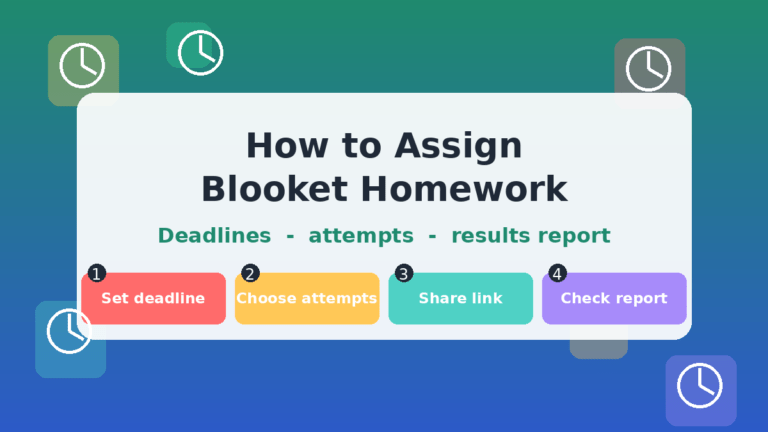
A single set written at one difficulty level will bore advanced students and overwhelm beginners in the same class period. Building two versions, one in Multiple Choice and one in Typing Answer, then assigning each through Homework mode, lets every student work at a level where they can actually succeed instead of guessing.
A teacher running a single 20-question set across a room with both A1 and B1 students usually sees the same split: the A1 group stalls on the harder half, while the B1 group finishes early and starts chatting. Two versions of the same set, assigned by level, keep both groups occupied for the full period.
Mistake 3: skipping images on new vocabulary
A new English word without a picture forces a beginner to translate twice, first into their own language and then back into English to confirm it. Sets that include a picture for every new word tend to move through the lobby faster, with fewer students stuck rereading the same question.
Mistake 4: defaulting to fast, competitive modes every time
Speed-based modes raise stress for students who are still processing each question in a second language, and that stress, often described in language teaching as the affective filter, can block recall a student would otherwise have managed. Save Gold Quest and Battle Royale for review days once the vocabulary is already familiar, and lean on Classic, Café, or Tower Defense whenever introducing anything new.
Mistake 5: ignoring the post-game report
Every hosted game produces a report showing which questions took the longest and which answers students missed most. Skipping that report means missing the exact vocabulary or grammar point that needs reteaching before the next class, which is one of the most useful built-in formative assessment tools the platform offers.
FAQs
Is Blooket good for ESL students? Yes, Blooket for ESL teachers works particularly well for vocabulary and grammar review, since the variety of modes gives students repeated exposure to the same content without it feeling like the same drill twice. It works best alongside separate speaking and listening practice rather than as a complete replacement for them.
What level of English do students need to play Blooket? Students need enough reading ability to recognize short words and phrases on screen, since the platform is text-based throughout. True beginners can still join using Multiple Choice sets that include images, paired with a relaxed mode like Café or Classic.
Can Blooket help with listening or speaking practice? Only partially, since audio questions exist but are limited to Plus subscribers and require the teacher to source or record the audio themselves. Blooket works best as a reading and recall tool paired with separate listening or speaking activities elsewhere in the lesson.
Which Blooket mode is best for beginner English learners? Classic and Café are the most forgiving starting points, since neither includes time-based theft or elimination mechanics that can confuse or discourage someone new to the platform. Solo or Homework mode is also an option for students who need to practice without an audience watching them.
Can students play Blooket without a teacher hosting? Yes, any set can be assigned as homework or played solo from a student’s own account, which lets each student move at their own pace. This is especially useful for quieter students who tend to perform better without classmates watching them answer in real time.
How many players can join a Blooket game at once? A free account supports up to 60 players in a single live game, which covers nearly any standard classroom on its own. A paid Blooket Plus subscription raises that player limit, which helps when combining several classes into one larger session.
Does Blooket support images for vocabulary words? Yes, both questions and answers can include an uploaded image or one pulled from the built-in image gallery. Adding a picture to new vocabulary is one of the simplest changes that makes a set work noticeably better for language learners.
Does Blooket work for online or remote ESL classes? Yes, since students join a hosted game from any device using a code, with no difference between an in-person and a remote session. Solo and Homework modes work the same way for remote learners, which makes them a reliable option for students practicing outside a live class.
Putting it into practice
Blooket for ESL teachers works best when the mode matches the moment: relaxed and self-paced while a word is still new, faster and more competitive once it is familiar. Pick one set already in regular use, build a Multiple Choice version for beginners and a Typing Answer version for stronger students, then run both with the same group and watch which one keeps the quietest students answering. That single comparison says more about the right setup for a class than any feature list ever could.
More independent, classroom-tested Blooket breakdowns like this one are available throughout this site for teachers covering other subjects.
Think sharper with bite-sized logic—short reads that stretch your brain beautifully.