Blooket Classroom Rules Guide: Complete Teacher Resource
Running a Blooket session without clear rules is like starting a race with no track. Students get loud, answers get shared, nicknames get creative in all the wrong ways, and the learning gets lost in the chaos. This guide covers every rule, strategy, and setup step teachers need to run Blooket sessions that are genuinely productive — not just fun for five minutes before things fall apart.
What is Blooket and why do classroom rules matter?
Blooket is a browser-based quiz game platform where teachers create or assign question sets and students compete through different game modes — each one with its own mechanics, pacing, and level of competition. The platform works across grades and subjects, and most students pick it up within the first session — our complete guide to using Blooket in the classroom covers account setup and hosting your first game.
Why the game itself creates rule challenges
The competitive element is exactly what makes Blooket engaging, and exactly what makes it unpredictable. Students want to win. When coins, blooks, and leaderboard positions are on the line, some will cut corners — sharing answers, choosing inappropriate usernames, or getting distracted by the blook collection system instead of the actual questions.
What good rules actually fix
Clear classroom rules solve three specific problems: they stop disruptions before they start, they keep the game educationally valid, and they protect every student’s experience — including quieter students who disengage when sessions feel chaotic. A classroom that runs Blooket well uses it as a focused review tool, not a free-for-all.
How to set up Blooket classroom rules before the first session
The best time to introduce rules is before anyone has opened a game link. Spend three to five minutes on setup and expectations, and the session runs itself.
Step 1: Explain the purpose first
Tell students why they are playing Blooket — review, practice, formative check, or end-of-unit game. When students know the academic goal, they are more likely to treat it as a learning activity rather than free time. Say something direct: “We are using this to review Chapter 4. Your score reflects how well you remember the material.”
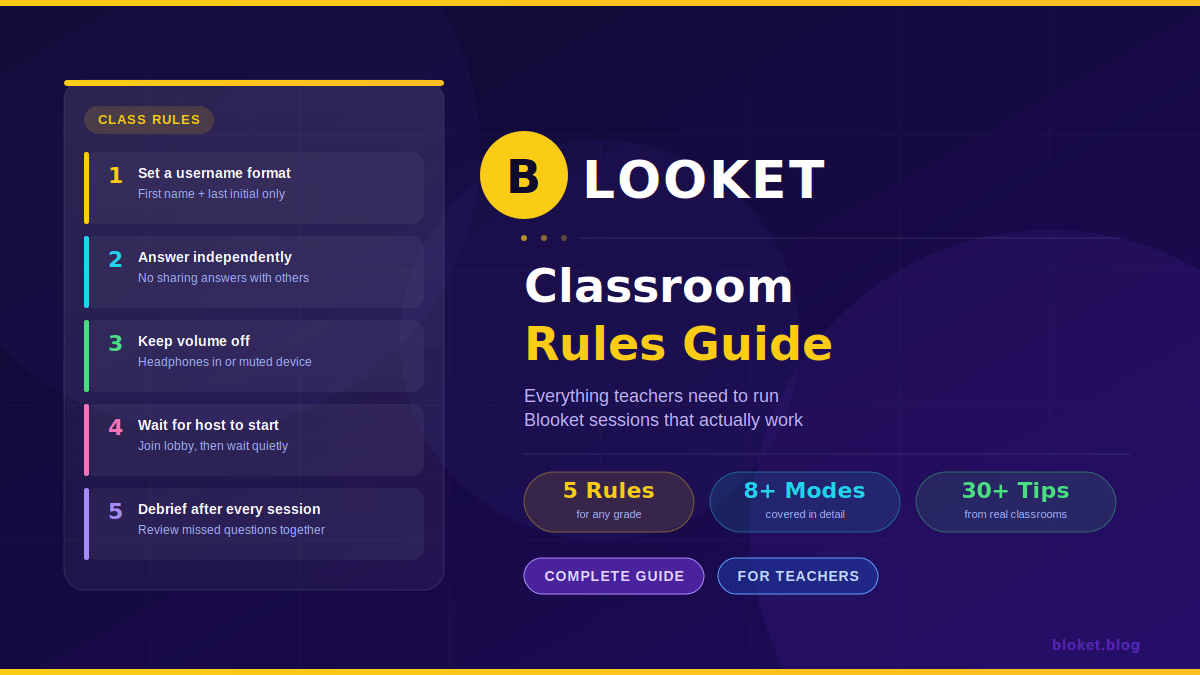
Step 2: Set the username rule
Usernames are the first thing to go wrong. Establish a clear, simple rule: use your first name and last initial, or a teacher-assigned code. Write the format on the board before sharing the game PIN. If a student joins with an unacceptable name, remove them from the lobby and have them rejoin with the correct one. Our guide on whether Blooket is safe for students explains the nickname risks and the moderation settings that address them. Most platforms, including Blooket, allow hosts to kick players from the lobby before the game starts.
Step 3: Cover the no-sharing rule
Students sharing answers defeats the point of using Blooket as a review tool. State clearly that answers stay on their own screen. For in-person sessions, consider seating arrangements that reduce screen visibility between students. For remote sessions, the honor system matters more — pair the rule with a reminder that their score is the teacher’s data, and inaccurate scores mean inaccurate review.
Step 4: Explain what happens after the game
Students behave differently when they know the session will be debriefed. Tell them upfront: “After the game, we will go through the three most-missed questions together.” This single expectation shifts their mindset from playing to learning, because they know the game is not the end of the lesson.
Step 5: Review device rules
Blooket only needs a browser tab to run. Close everything else. For in-person classes, a quick rule — “one tab open, one game at a time” — stops students from multitasking on other sites during slower game phases. For devices with split-screen capability, a no-split-screen rule saves a lot of redirecting during sessions.
Essential Blooket classroom rules by category
These rules cover the four areas where sessions most commonly break down: behavior, fairness, device use, and game-specific conduct.
Behavior rules
Respect the leaderboard: Winning and losing are both part of the game. Celebrating loudly or taunting other students disrupts the classroom. A simple expectation — quiet reactions to scores — keeps the energy positive without removing competition entirely.
No calling out answers: Some game modes display questions on a shared screen. Students who call out answers ruin the round for everyone. Set this as a firm rule before any full-class display mode.
Raise a hand for technical problems: Students who hit a technical issue — frozen screen, dropped connection, wrong game PIN — should raise a hand quietly rather than shouting across the room or clicking around trying to fix it. This prevents cascading disruptions when one student has a problem.
Fairness rules
Answer independently: Every student answers on their own device. This applies during timed modes especially, where the pressure to get a fast answer can tempt students to look at a neighbor’s screen.
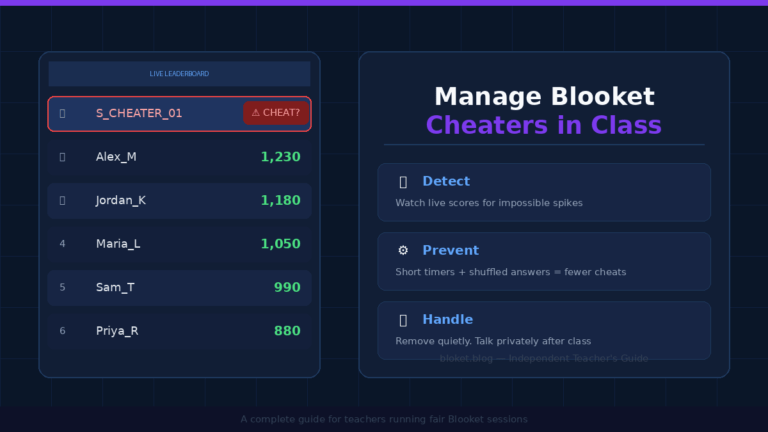
No answer-trading between rounds: In modes like Gold Quest or Battle Royale, students have brief downtime between questions. That downtime is not an opportunity to compare answers or strategy with the person next to them. For the full playbook on catching and preventing it, see our guide on managing Blooket cheaters in class.
Blooks are cosmetic, not academic: The blook system is a collection mechanic tied to in-game coins. Students sometimes treat blook rarity as a reward tied to their academic performance. Clarify this early: blooks have no grade value. Focus belongs on the questions.
Device rules
One device per student: Blooket assigns one session to one device. Students joining on multiple devices to farm coins or boost their position disrupts the session data and is against the platform’s terms of use.
Volume off or headphones in: Game sounds can be a genuine distraction in a shared classroom space. A standing rule — volume off unless headphones are available — keeps ambient noise from compounding as thirty students play simultaneously.
Screen visible to teacher: For in-person sessions, students keep their devices flat on the desk or angled so the teacher can do a quick visual check. This is not surveillance — it is the same expectation as any other class activity.
Game-specific rules
Wait for the host to start: Students who join the lobby early will see the waiting screen and may try to interact or ask when the game is starting. Set the expectation: join, enter your name, and wait quietly. The host controls the start.
Do not leave mid-game without permission: In game modes where leaving affects team scores or removes a player from the leaderboard, unexpected exits cause confusion. Students who need to leave — bathroom, urgent issue — should signal the teacher first.
Report bugs, do not exploit them: Occasionally a question loads incorrectly or a mode has an unexpected behavior. Students should report it rather than using it to gain an unfair advantage. This is a character expectation as much as a game rule.
Common mistakes teachers make with Blooket rules
Mistake 1: Introducing rules during the game
Stopping a live session to explain rules mid-game breaks momentum and frustrates students. Rules explained before the PIN is shared land better — students are listening because they want to start playing.
Mistake 2: Making rules too long to remember
A list of fifteen rules is a list that gets ignored. Three to five core rules, stated clearly and posted somewhere visible, work better than a comprehensive policy document. Pick the rules most relevant to your class and repeat them consistently.
Mistake 3: Not enforcing rules the first time
If a student joins with an inappropriate username and is allowed to stay, every other student notices. First-session enforcement — gentle but immediate — sets the precedent for every session after. Most students respond well to a calm, private correction.
Mistake 4: Using Blooket as a free period
When Blooket is framed as a reward or a Friday free-time activity, students treat it accordingly. Framing matters: sessions positioned as review practice with a debrief afterward stay educationally anchored, even when students are fully engaged in the competition.
Mistake 5: Skipping the debrief
The debrief is where the learning sticks. A five-minute review of the most-missed questions after the game turns a fun activity into a genuine instructional moment. Without it, Blooket becomes entertainment that happens to use academic content.
A comparison of Blooket game modes and which rules matter most
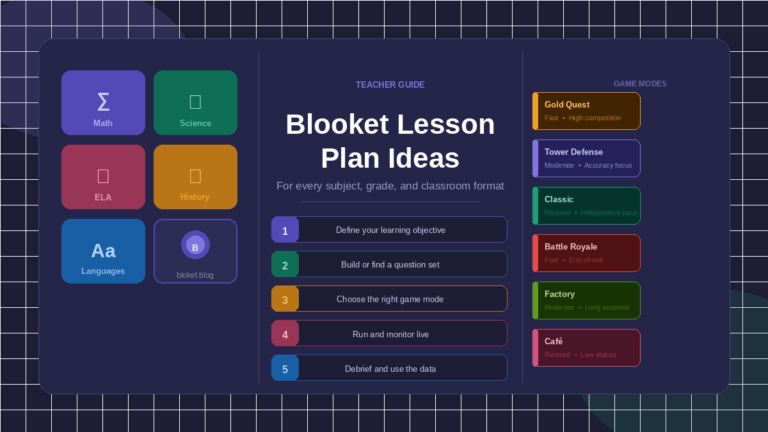
Different game modes create different classroom dynamics. Here is a quick breakdown of the five most common modes and the specific rule considerations for each.
| Game mode | Main mechanic | Key rule priority |
|---|---|---|
| Classic | Fastest correct answer wins points | No calling out answers; independent responses |
| Gold Quest | Steal or protect gold based on correct answers | Manage celebration/reaction noise |
| Battle Royale | Survive by answering correctly | Quiet when eliminated; no coaching others |
| Racing | First to finish the track wins | One device only; no tab-switching |
| Tower Defense | Answer questions to earn tower upgrades | No sharing strategies mid-game |
How to post Blooket rules in your classroom
A rules poster does the reminding so you do not have to repeat yourself every session. Keep it concise — five rules maximum — and put it somewhere students see before they open their devices.
What a simple posted rules card looks like
A clean printed card or slide works well. Include these five lines:
- Use your assigned username format.
- Answer on your own — no sharing.
- Volume off (or headphones in).
- Wait for the teacher to start.
- Stay until the session ends.
Laminate one for in-person use. Pin it near the projector or screen. For remote classes, share it as a slide before the game PIN appears.
Digital posting options
Many teachers post rules in Google Classroom, their LMS announcement section, or as a pinned message in a class chat. A short, five-point list copied into a sticky note format works well here. Students who join a session without reading it can be redirected to the posted rules rather than given a full verbal explanation mid-game.
FAQs
Can students join Blooket without a class account? Yes. Blooket allows students to join a hosted game using just a PIN, without creating an account. They enter a name and join directly. This is the most common setup for classroom sessions, and it is why the username rule matters — there is no login name to fall back on.
What should I do if a student joins with an inappropriate username? Remove them from the lobby before starting the game. In Blooket’s host view, you can kick individual players from the waiting screen. Have the student rejoin with the correct name. Do this calmly and without making it a classroom moment — a quiet correction works better than a public one.
How many students can join a single Blooket game? Blooket supports large class sizes in a single session, and most standard classroom numbers — even classes of thirty to thirty-five — run without issues. For very large groups like whole-year-group sessions, test the session size in advance to confirm stability.
Can I see which questions students got wrong? Yes. Blooket’s host view shows live results during the game, and the post-game summary breaks down performance by question. This data is the basis for an effective debrief and helps identify which topics need reteaching.
What if students try to join multiple times on different devices? Blooket assigns one session to each join. A student who joins twice appears as two separate players, which inflates the player count and can skew leaderboard results. Address this with a one-device rule and check your lobby for duplicate names before starting.
Should I allow students to collect blooks during class time? That depends on whether collection mechanics distract from the session goal. In most classroom sessions, the game ends after the question set is completed, and blook collection happens as a result. If students are spending time between questions focused on their blook inventory rather than the next question, a reminder that collection is secondary to answering keeps them on track.
How do I handle students who finish early and get bored? In modes like Classic, faster students accumulate more points but the game continues until time is up or all questions are answered. Give early finishers a task: review their wrong answers, write down two questions they found difficult, or help a neighbor with a device issue. This prevents the restlessness that comes from waiting with nothing to do.
Conclusion
Clear rules make Blooket better for everyone in the room. Students focus on the questions, the leaderboard reflects real effort, and the session ends with something worth debriefing. The rules covered here — usernames, independent answers, device focus, game-specific conduct — take five minutes to introduce and save an entire session from going sideways.
Start with three non-negotiables, post them somewhere visible, enforce them the first time they are broken, and debrief every session. That is the full system. Everything else follows from those four habits.
For more Blooket guides, tips, and question set recommendations, explore the resources at bloket.blog.
Feed your curiosity with deep dives—handpicked reads that go beyond the surface.