How to Answer Faster in Blooket: Tips That Work
Speed wins in Blooket. Whether you’re racing to collect gold in Gold Quest or clearing your customer queue in Café, the player who answers fastest almost always pulls ahead. But raw reflexes only get you so far — the players who consistently finish first use a system, not just quick fingers.
This guide covers every method that actually works: training your brain to process questions in under two seconds, fixing the technical setup that quietly costs you time, and building the kind of subject knowledge that makes answers obvious before the question finishes loading.
Why answering speed decides who wins in Blooket
Blooket looks like a simple quiz game, but speed is woven into nearly every mode’s scoring system. In Gold Quest, answering before other players don’t just earn you a reward — it determines whose gold bag you steal or whether you get any action at all. In Racing, each correct answer moves your character forward, and a two-second delay per question adds up to a meaningful gap across 20 rounds. In Tower Defense, troops are added faster when you answer before the timer expires.
How each mode rewards speed differently
Different Blooket modes use speed in different ways, and knowing which mode you’re in changes your strategy.
In Gold Quest, you’re competing directly against every other player for each question. Answer first, and you pick from gold bags or steal from the leader. Answer last, and the best rewards are gone. Speed here is a direct competitive weapon.
In Tower Defense, the reward for each correct answer is troops. Answering faster doesn’t multiply your troops, but getting through questions efficiently means your tower gets reinforced more quickly overall. Accuracy matters more here than in Gold Quest, because a wrong answer in some versions of the mode delays you.
In Café, each correct answer serves a waiting customer. Slow answers mean a longer queue and a lower score. The rhythm here is almost like a typing game — you want to stay in flow without hesitating.
In Racing, speed directly moves your character. There’s no stealing or stealing protection — you just go faster. This mode rewards consistent fast-and-accurate answers more than any single explosive moment.
The difference between fast and reckless
Answering quickly only helps if you’re also right. A wrong answer in Gold Quest can cost you stored gold. In Battle Royale, it can eliminate you from the round. The goal is a fast answer reflex built on real knowledge and a reliable reading method — not just clicking as fast as possible.
How to read Blooket questions faster
The fastest Blooket players don’t just have quick fingers. They read questions differently. A structured approach to scanning text cuts your response time without increasing your wrong-answer rate.
Scan the end of the question first
Most Blooket questions are structured so the key concept appears at the end. “What is the capital of France?” — the word France is the trigger. Your brain can start searching for the answer before your eyes finish the sentence. Reading the final noun or phrase first trains your brain to identify the answer category before the question has fully loaded.
Practice this in solo mode: whenever a question appears, glance at the last two or three words before reading from the start. After a few games, it becomes automatic.
Read all four answers before selecting
A common mistake is clicking the first answer that looks right. Instead, spend one second scanning all four options. Usually two answers are obviously wrong — too extreme, spelled differently, off by an order of magnitude. Eliminating those two takes less mental effort than confirming the correct one, and it’s almost always faster than re-reading the question to double-check.
This two-step method — eliminate, then select — is consistently quicker than the read-and-confirm approach.
Match your approach to the question type
Blooket question sets use different formats, and each has a fastest approach.
Definition questions (“What does photosynthesis mean?”): The keyword in the question is your cue. Don’t read all four definitions fully — look for the one that starts with the right concept.
Math problems: Work from the answer choices backward. One answer is usually too large or too small to be plausible. A second can often be ruled out with a rough mental estimate. You’re now choosing between two, not four.
True or false: Commit to your first instinct. Hesitation here costs more time than a wrong guess ever would. If you’ve studied the material, your first read is usually right.
Image-based questions: Look at the image while the question text loads. In most cases, you can identify the answer from the image alone without fully processing the question.
Device and connection setup for faster answers
No reading technique helps if your device is fighting you. Lag between your tap and Blooket registering the answer costs real time every question.
Use the most stable connection available
A wired Ethernet connection consistently delivers lower latency than Wi-Fi. If you’re on a school Chromebook or tablet where wired isn’t an option, sit as close to the router as possible. Classroom Wi-Fi is often shared across 30 devices at once — network congestion is real and measurable. If the game loads slowly between questions, that’s a network problem, not a reading problem. Your browser also makes a real difference here — this guide on the best browser for Blooket ranks the top picks for smooth play.
Play on a laptop or desktop when possible
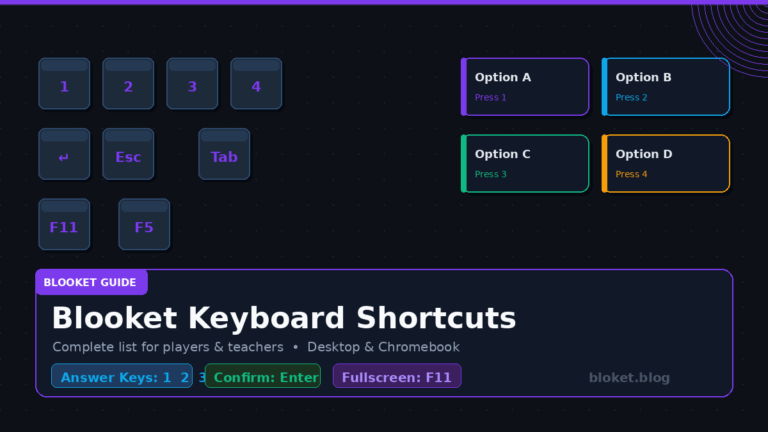
Mobile phones have smaller tap targets, which increases the chance of a mis-tap. On a laptop or desktop with a mouse, you can position your cursor near the answer area while the question is still loading. By the time the answer choices appear, your mouse is already in the right part of the screen. This micro-habit saves between 0.5 and 1 second per question — across a 20-question game, that adds up to a 10–20 second advantage over someone clicking on a phone. Pair this setup with the complete list of Blooket keyboard shortcuts and you can answer without ever touching the mouse.
Close every background tab and app
Blooket runs in a browser. If you have 15 other tabs open, your browser shares memory across all of them. A tab playing a YouTube video in the background, for example, competes with Blooket for processor time. Before any competitive game, close everything unrelated to Blooket. On a school device with limited RAM, starting a fresh browser session with only the game tab open makes a noticeable difference.
Check device charge and performance mode
A phone or laptop at low battery often enters power-saving mode, which throttles processor speed. A school Chromebook that hasn’t been restarted in days may have memory issues from accumulated background processes. Before a competitive game, charge your device, restart it if possible, and check that no power-saving mode is active.
Practice strategies that build real answer speed
Speed in Blooket is a trainable skill. The players who consistently answer first have put in practice — usually without realizing that’s what they were doing.
Study the question set before the game starts
If your teacher has shared the set name or link, open it in Blooket’s Flashcard mode before the game. When your brain already knows an answer, it doesn’t process the question — it simply confirms what it already knows. Pre-familiarity with a set can cut your average response time by more than half. In competitive classroom games, this is the single biggest speed advantage available.
Most teachers share the Blooket set code at the start of class. You can often search for it publicly on Blooket using the set name if you know what topic the class is covering.
Use solo practice modes to time your responses
Blooket’s solo play — Classic mode, for example — lets you run any question set alone. Set a personal goal: complete each question in under four seconds. Repeat the set two or three times until you’re hitting that target consistently. The repetition builds a recall reflex that carries directly into live multiplayer games.
Think of it like a free-throw drill in basketball. The pressure of a live game is where you perform the skill; practice is where you build it.
Play Gold Quest solo for speed training
Gold Quest in solo mode is particularly useful for speed training because the game still rewards faster answers even without other players. Watch your score improve as your response time drops — it gives instant feedback that most practice formats don’t.
Build subject knowledge, not just game reflexes
The deepest speed advantage comes from genuinely knowing the material. If you know that the mitochondria is the powerhouse of the cell, you recognize the answer the instant it appears — you don’t need to process the other three options at all. Study the actual topic your teacher is running in Blooket. Real subject knowledge outperforms any device trick or reading strategy in the long run.
Common mistakes that slow players down
Even experienced Blooket players make these errors. Fixing them is often the fastest improvement available.
Second-guessing the first answer
Research on multiple-choice test performance consistently shows that the first answer a person selects is correct more often than the one they switch to under pressure. In fast-paced Blooket modes, overthinking costs both time and accuracy. If your first read tells you “B,” click B. Second-guessing introduces delay without improving accuracy.
Keeping the cursor in the center of the screen
If you play on a laptop, leaving your cursor near the center means you need to travel further to reach any answer. Move your cursor to the lower half of the screen — where answers typically appear — as soon as a new question loads. The distance your cursor travels per click is small, but multiplied across 20 questions in a close game, it matters.
Not knowing the mode’s risk profile
Some Blooket modes punish wrong answers. Tower of Doom deals damage for incorrect responses, making a brief confirmation more valuable than maximum speed. Battle Royale can eliminate you for wrong answers. In these modes, half a second of confirmation is worth taking. Gold Quest and Racing, on the other hand, have lower wrong-answer penalties and reward pure speed. Match your pace to the mode you’re actually in.
Answering while the question is still animating
In some Blooket skins and themes, question text has a brief entrance animation. Clicking before the full question appears may register a tap on the wrong answer area. Wait for the full question to load — this takes less than a second — before reading and clicking. Tapping an animation isn’t faster; it’s just reckless.
Treating every question as equal difficulty
Some questions in a set are easy for you — answer those instantly. Others you’ll need to think about. Spending equal time on both is inefficient. When you see a question you know immediately, click without hesitation. When you see one that requires actual thought, take the second you need. Managing your mental effort across a question set is part of playing at full speed.
FAQs
Does answering faster give more points in Blooket?
Blooket doesn’t award bonus points for speed in every mode, but faster answers translate directly to more game actions — more gold collected, more troops added, more race progress made. The indirect benefit of speed compounds across a full game and is significant in competitive play.
Can I use keyboard shortcuts to answer faster?
Blooket answer options are clickable buttons and are not mapped to keyboard shortcuts by default. Using a mouse on a desktop is generally faster than tapping a touchscreen, but there’s no official keyboard shortcut system for selecting answers in live games.
Does internet speed affect Blooket answer time?
Yes, meaningfully. A slow or unstable connection adds latency between your click and Blooket registering the answer. In close multiplayer games, 200–300 milliseconds of lag can change the outcome of a Gold Quest round. A stable, low-latency connection matters as much as your reading speed in competitive play.
Is it possible to answer too fast and get marked wrong?
Blooket records your answer the moment you click. There’s no penalty for answering quickly, but clicking before you’ve read the options increases wrong-answer risk. The goal is fast and accurate — tapping an answer you haven’t read yet isn’t speed, it’s guessing.
How do top Blooket players practice?
Most consistent top performers study the question set before the game using Flashcard mode, run solo practice to build fast recall, and pay attention to their device setup — stable connection, full battery, no background apps. The combination of subject preparation and technical setup is more effective than either alone.
Does Blooket Plus help students answer faster?
Blooket Plus is a paid subscription that unlocks extra features, primarily for teachers — things like advanced analytics, custom themes, and more question set options. It doesn’t directly change how fast a student’s answers are registered or provide any in-game speed advantage. Speed improvement comes from practice and setup, not a subscription tier.
What is the best game mode to practice answering speed?
Classic mode in solo play is the most efficient for speed training. Questions load cleanly one after another, there are no multiplayer distractions, and you can gauge your consistency after each run. Pair it with the same set your class is using, and you’ll build both game reflexes and genuine subject knowledge at the same time.
Does the Blooket question timer affect all modes?
Timer behavior varies by mode and teacher settings. Some teachers turn off timers entirely, making speed less relevant. Others set tight timers where every second counts. In any timed mode, the techniques in this guide apply directly. In untimed modes, accuracy matters more than raw speed.
Conclusion
Answering faster in Blooket comes down to three things working together: knowing the material before the game starts, setting up your device and connection correctly, and training a fast reading reflex through solo practice. For more advanced timing tricks that translate directly into a bigger coin haul, see these Blooket speed tips for faster wins and more coins.
The biggest single improvement available to most players is studying the question set in Flashcard mode before a live game. Try it before your next class session — spend five minutes on the set, then watch how much faster your answers come in the actual game.
If you’re a teacher reading this, consider sharing the set link with students a day early. Students who prepare come in more confident, games move faster, and the competitive energy is better for everyone.
Pick one technique from this guide and apply it in your next game. Speed builds from there.
Unlock the knowledge you need to succeed—our featured content has all the answers.