Blooket Lesson Plan Ideas for Every Subject and Grade
Blooket turns review sessions into something students genuinely look forward to. But running a game without a plan tends to produce one of three outcomes: a chaotic room, a mismatch between the mode and the lesson goal, or a fun twenty minutes that doesn’t connect to anything students are supposed to learn.
A structured Blooket lesson plan fixes all three. This guide walks through the full planning process — from picking a question set to debriefing results — with subject-specific ideas teachers can adapt immediately. Whether you teach second grade or AP Chemistry, the same framework applies: build around a learning objective, choose the right game mode, and use the data Blooket gives you afterward.
What makes a good Blooket lesson plan?
A good Blooket lesson plan connects the game directly to a specific learning objective. The game mode, question set, and session length all need to match what students are expected to practice or demonstrate — not just the broad topic.
Match the game mode to your learning goal
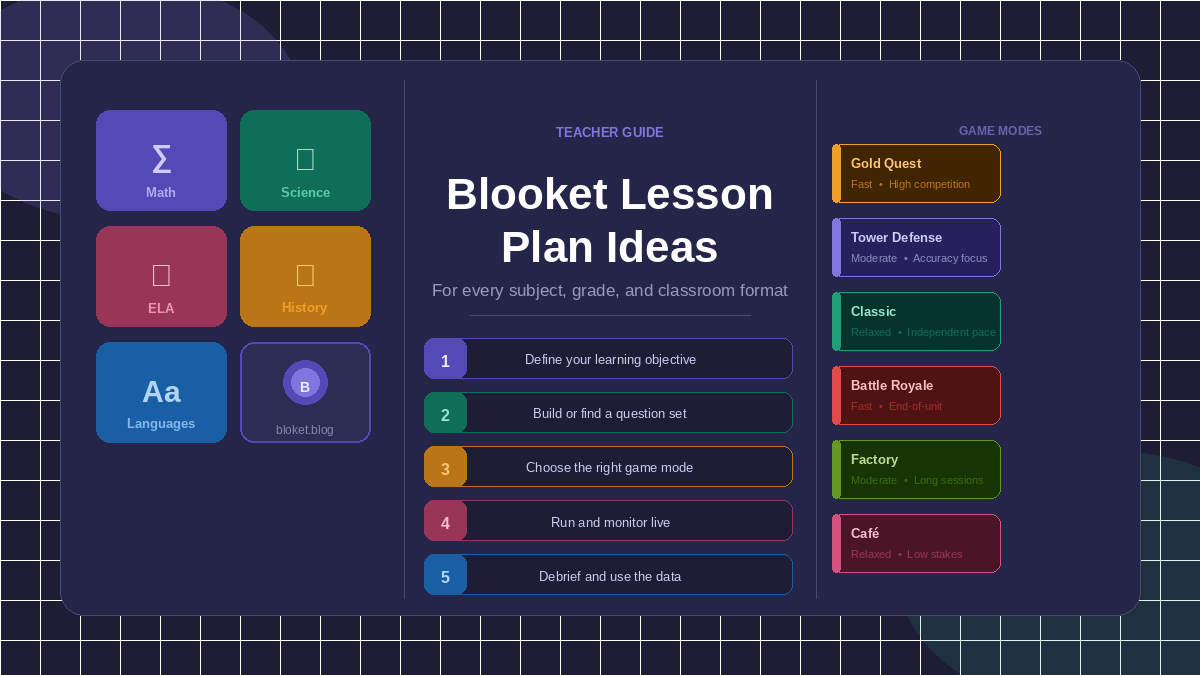
Each Blooket game mode creates a different kind of learning environment. Gold Quest is fast and competitive, which makes it well-suited to vocabulary, spelling, or quick-recall content. Tower Defense rewards accuracy over speed, so it works better when students need to reason through answers rather than race through them. Classic mode removes the competition pressure entirely and gives every student time to work through a full question set at their own pace.
When I first started using Blooket in classroom reviews, I defaulted to Gold Quest for everything. Students loved it. But I noticed that fast processors dominated while slower thinkers fell behind — not because they didn’t understand the material, but because the format punished deliberation. Switching to Tower Defense for concept-heavy units changed the dynamic: students started talking through answers rather than clicking blindly.
Timing your session right
Most Blooket sessions land best between fifteen and twenty-five minutes of active gameplay. That window keeps energy high without losing the room or eating too deeply into instruction time.
For a fifty-minute class period, a practical structure looks like: five minutes to frame the session and connect it to the lesson, twenty minutes of gameplay, and ten to fifteen minutes for debrief and error analysis. For shorter periods, a ten-to-fifteen-minute Classic warm-up works well at the start of class — it activates prior knowledge before new instruction begins.
How do you build a Blooket lesson plan from scratch?
Building a lesson plan around Blooket takes about fifteen to twenty minutes once you know the process. There are five clear steps, and skipping any of them usually shows up as a problem during the game itself.
Step 1: Define the learning objective
Start with what students need to practice, not with the game. If your class is wrapping up a unit on the American Revolution, the objective might be “identify causes and effects of key events.” That objective shapes everything: the question types, the difficulty spread, and the mode you choose.
A clear objective also makes it easier to evaluate the session afterward. If students consistently miss questions about a specific concept, you’ve identified a gap that needs attention before the next assessment.
Step 2: Build or find a question set
Blooket’s public library holds a large number of community-made question sets. Search by subject, grade, or standard and preview every question before using the set with students. Community sets sometimes contain errors, outdated information, or questions pitched at the wrong level — a five-minute review saves headaches during the game.
For original sets, aim for ten to twenty questions. A useful spread puts roughly half the questions at mid-level difficulty, a quarter at straightforward recall, and a quarter at a level that challenges stronger students. That range keeps the whole class engaged.
Step 3: Choose the right game mode
Here’s a quick-reference table for matching modes to lesson goals:
| Game mode | Best for | Pace | Competition level |
|---|---|---|---|
| Classic | Formative check, independent review | Relaxed | None |
| Gold Quest | Vocabulary, quick fact drill | Fast | High |
| Tower Defense | Concept review, accuracy focus | Moderate | Moderate |
| Tower Defense Solo | Individual accountability | Moderate | None |
| Factory | Long-session review | Moderate | Moderate |
| Battle Royale | End-of-unit competition | Fast | High |
| Café | Engagement-focused review | Relaxed | Low |
If your class tends toward high anxiety around tests or competition, Classic and Café create a lower-stakes environment that still produces useful results data.
Step 4: Run the session and monitor live
While the game runs, watch the host screen. Blooket displays which questions students are struggling with in real time. Take note of those questions — they become the core of your debrief.
Resist the temptation to interrupt the game to explain a wrong answer. Let the session run its course, then address misconceptions together. Interrupting breaks the engagement students are in and signals that the game is really just a quiz with a skin on it.
Step 5: Debrief with the data
The debrief is where the learning actually sticks. After the game ends, pull up the question-level breakdown and go through the two or three most-missed questions. Ask students to explain their reasoning before correcting it — that explanation often surfaces the underlying misconception more clearly than the wrong answer alone.
A ten-minute debrief is the difference between Blooket as entertainment and Blooket as a diagnostic tool. Without it, students leave with the same gaps they came in with.
Blooket lesson plan ideas by subject
These are specific, classroom-tested ideas teachers can adapt directly. Each includes a recommended mode, a sample question structure, and a teaching note.
Math
Order of operations drill: Build a twenty-question Classic set where each question presents an expression and students select the correct value. Classic mode gives students time to work through each expression carefully rather than guessing under time pressure. After the game, revisit every expression the class missed and work through it step-by-step on the board.
Fraction word problems: Write ten to twelve word problems requiring students to add, subtract, or compare fractions. Tower Defense works well here because it rewards accuracy — fraction word problems produce more careless errors when students rush, and the game’s structure discourages that.
Times tables warm-up: A Gold Quest set covering multiplication facts through 12×12 runs in under ten minutes and makes an effective weekly warm-up. For ready-to-use options, see our roundup of the best Blooket sets for math class. It also gives you a fast snapshot of which specific tables individual students are still shaky on.
Geometry vocabulary review: Build a mid-length Classic set with image-based questions showing geometric shapes, angles, or figures, asking students to name or classify them. Visual recognition tasks benefit from the slower pace Classic provides.
Science
Pre-lab vocabulary activation: Before a lab activity, run a Gold Quest game using fifteen to twenty key terms students need to know. Getting the vocabulary into short-term memory before students encounter it in a lab context reduces confusion mid-activity and keeps the lab time productive.
Cell biology review: Build a Tower Defense set covering organelle names, functions, and the differences between plant and animal cells. Our guide to the best Blooket sets for science class points to vetted sets across biology, chemistry, and physics. Include image-based questions where possible — visual recall is generally stronger than text-only recall for this content.
Scientific method application: Use Classic mode with questions that describe a scenario and ask students to identify which step of the scientific method is being demonstrated. This tests procedural understanding rather than definition recall, which is a more demanding and useful skill.
Physics formulas check: A Factory mode session works well for formula application questions. Students who understand the formula can work through a longer set steadily, while the session length surfaces who is guessing versus who is applying the formula correctly.
English language arts
Vocabulary in context: Write questions that give a sentence with an underlined word and ask students to select the correct meaning based on context. Gold Quest rewards quick thinking, which builds the kind of fast contextual inference that strong readers use automatically.
Grammar review: A twenty-question Classic set covering comma placement, subject-verb agreement, or sentence types gives students time to think through each item rather than pattern-match. Let students work at their own pace so they can deliberate.
Literary devices identification: After studying a shared text, create questions that give a short passage and ask students to name the literary device at work. Battle Royale near the end of a unit raises the stakes enough that students focus, without the anxiety of a formal test.
Argument analysis: For older students, write questions that present a short paragraph and ask students to identify the claim, the evidence, or the weakest point in the argument. Classic mode gives them the processing time these questions genuinely require.
Social studies and history
Geography facts drill: Capital cities, geographic features, and regional identifiers work well in Gold Quest because they are discrete facts with clear right answers. Keep the set focused — twenty-five questions on one region is more useful than fifty scattered questions across everything.
Primary source analysis warm-up: Give students a two-to-three sentence excerpt from a historical document in each question and ask them to identify the author’s purpose, the likely time period, or the point of view. Classic mode is the right call here — close reading takes time, and rushing through primary sources produces shallow responses.
Cause and effect reasoning: Write questions that describe a historical event and ask students to identify its most likely cause or consequence. Tower Defense slows the pace enough for students to reason through relationships rather than recall memorized sequences.
Foreign languages
Bidirectional vocabulary drill: Alternate between target-language-to-English and English-to-target-language questions in the same Gold Quest set. Bidirectional practice strengthens recall in both directions — something single-direction drills consistently miss.
Conjugation practice: A Classic set with ten to fifteen prompts asking students to choose the correct conjugation of a verb for a given subject gives every student full practice without the anxiety of speaking aloud. This works particularly well for early learners who need private processing time before public production.
Reading comprehension check: After a short reading passage, build a Classic set of ten questions testing both literal comprehension and inferential reading. The set functions as a reading check without the overhead of a written response assignment.
How do you differentiate with Blooket for mixed-ability classes?
Blooket does not offer native adaptive difficulty, but teachers can create meaningful differentiation through question design and mode selection within a single session.
Building a spread of difficulty into one question set
Write questions across three levels: foundational (direct recall), mid-level (application or inference), and advanced (analysis or evaluation). Include roughly five to seven questions at each level for a twenty-question set. Every student encounters the full set in Classic and Tower Defense modes, which means advanced students are challenged while students who struggle have questions they can answer successfully.
Tracking which students answered only the foundational questions correctly — and which students handled the advanced ones — gives you a natural grouping for small-group instruction the next day. No extra assessment needed.
Running parallel sessions for different learners
For classes with a wide ability range, you can host two separate games simultaneously using different join codes. A small group that needs extended processing time can play Classic independently while the main class plays Gold Quest together using the same question set. Both groups cover the same content; neither group is visibly singled out.
This requires hosting two games from the teacher account and takes a few extra minutes of setup. But it removes the speed pressure for students who need more time without creating a conspicuous, stigmatizing arrangement.
Common mistakes teachers make with Blooket lesson plans
Most classroom frustrations with Blooket trace back to three planning errors. All three are easy to fix once you’ve identified them.
Using Gold Quest for the wrong content
Gold Quest is the most popular mode, but it rewards speed over accuracy. For content where deliberation matters — conceptual questions, inference tasks, multi-step problems — Gold Quest works against the learning objective. Students who guess fast and land on the right answer by chance aren’t demonstrating understanding.
Save Gold Quest for fact-based content where quick recall is the actual skill you’re targeting. For anything that requires reasoning, Tower Defense or Classic is the stronger choice.
Ending the class at the winner screen
A Blooket session that ends at the winner announcement with no debrief leaves students with their misconceptions intact. The question-level results screen is the most valuable part of the whole session — it shows you exactly where students went wrong, grouped by question.
Even a five-minute debrief covering the two most-missed questions is substantially better than none. It converts a game into a learning event.
Treating Blooket as a Friday reward only
Many teachers reserve Blooket for the end of the week, for students who finish early, or for the last day before a holiday. This positions it as a treat rather than a learning tool, and students stop taking the questions seriously. The novelty competes with the content.
When Blooket appears regularly as part of the instructional cycle — as warm-ups, formative checks, and review sessions — students understand it as part of how learning works in that classroom. The game stays engaging, but the questions carry weight.
FAQs
How many questions should a Blooket lesson plan include? Ten to twenty questions covers most standard class sessions. Fewer than ten makes the game feel incomplete and gives students too little content to practice. Sets longer than twenty work well for dedicated review blocks of thirty minutes or longer, though attention tends to drop around the twenty-question mark in competitive modes.
Can Blooket be used before students have learned the content? Blooket is designed for retrieval and practice, not first instruction. Running a game before students have encountered the material mostly produces guessing, which doesn’t build knowledge. The most effective pattern is to teach the content first, then use Blooket to practice and reinforce what students have just learned.
What grades work best with Blooket? Teachers use Blooket effectively from around second grade through high school and into college courses. Younger students tend to do best with Classic and Gold Quest, which have simpler visual mechanics. Older students can handle the full range of modes, including Tower Defense and Factory, which involve more strategic decision-making.
How do I use Blooket results to shape future instruction? After a session, check the question-level breakdown in the host dashboard. Questions answered correctly by fewer than sixty percent of the class signal a gap worth revisiting. Use that data to design your next warm-up, pull a small group during independent work time, or assign a targeted follow-up activity before the unit assessment.
Can students create their own Blooket sets as a learning activity? Yes, and it is an underused strategy. Asking students to build a ten-question set on a topic they have just studied forces them to decide what is important, write clear questions, and verify their own understanding. Sets students produce can then be played by the rest of the class in a follow-up session, which adds a layer of audience accountability to the creation task.
Does Blooket work for remote or hybrid classrooms? Blooket runs in any browser, so remote students join using the same game code as students in the room. The host can share their screen on a video call to maintain a similar feel to in-person play. All game modes function the same way regardless of whether students are seated together or connecting from home, and our guide on how to assign Blooket homework covers self-paced practice for students working remotely.
How often should I use Blooket in my classroom? Two to three times per week is a sustainable pace for most classrooms. At that frequency, the game stays motivating without becoming routine. Daily use tends to flatten the novelty quickly, and students who grow accustomed to Blooket as a daily event may engage less carefully with the questions than students who encounter it a few times per week.
Conclusion
Blooket works best when it’s planned rather than improvised. Matching the game mode to your learning goal, building a question set that reflects your curriculum, and using the results data to inform what comes next turns a student-favorite game into a genuine instructional tool — one that produces real insight into what your class knows and what it doesn’t.
Start with a single subject-specific idea from this guide. Build a ten-to-fifteen-question set around it, run it with your class, and check the question-level results. The planning gets faster from there, and so does everything you do with the data.
Browse better with top reads—curated quality that respects your time.