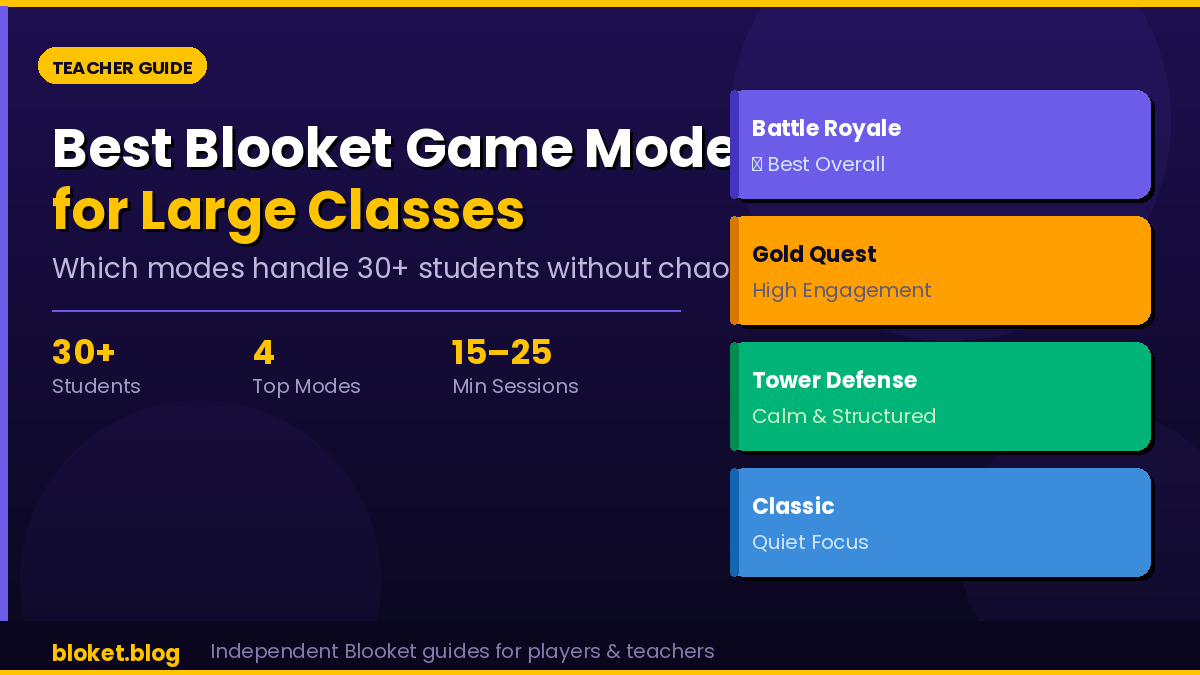
Best Blooket game mode for large class: Teacher Guide
Running Blooket with 30 or more students feels completely different from a small-group session. Modes that work fine with 15 players can spiral into noise, confusion, or a handful of fast students dominating while the rest zone out. Picking the right mode upfront is the single biggest factor in whether a large-class Blooket session runs smoothly or falls apart.
This guide covers every major game mode, ranks them for large-class use, and gives you the exact settings to adjust before hitting “Host.” When I tested these modes across classes ranging from 28 to 38 students, the differences were stark enough to matter on day one.
Why game mode choice matters more in large classes
With a small group, almost any mode works. With 30-plus students, the wrong mode creates one of three problems: fast students dominate and the rest lose interest, the game becomes pure noise with no learning, or pacing collapses and half the class sits idle. The best large-class modes share three traits – they keep every student independently busy, they scale without lag, and they give lower-performing students a genuine path back into contention.
The engagement gap problem
In modes like Tower of Doom, students who fall behind early often give up entirely. With a class of 35, that can mean 10 or more students sitting effectively idle while a few fight for the top. Large classes need modes where every student stays in the game regardless of rank, not just the ones answering fastest.
Noise and pacing at scale
Some modes trigger a lot of shouting or excitement, which is fine in a small group but genuinely unmanageable with 30-plus students in a standard classroom. Knowing which modes generate the most student-side noise helps you decide what fits your space before you commit to hosting.
The best Blooket game modes for large classes, ranked
After running these modes across multiple large groups, Battle Royale and Gold Quest consistently outperform the rest for classes of 25 or more. Both keep every student independently active throughout and avoid handing early advantages to fast players in ways that effectively end the experience for everyone else.
1. Battle Royale – best overall for large classes
Battle Royale is the strongest all-round choice for large classes. Every student answers questions at their own pace, and a wrong answer costs a life rather than ending their session immediately. Students who fall behind can recover, so engagement stays high across the full group rather than just the top quarter.
The mode handles large numbers cleanly. With 35 students all answering simultaneously, there is minimal lag and no single student can disrupt the game for others. The elimination mechanic also creates natural tension that keeps even distracted students watching.
Best for: 25-40 students, mixed ability levels, 15-25 minute sessions.
2. Gold Quest – best for keeping everyone competing
Gold Quest is the second strongest choice. Students earn gold by answering correctly, but others can steal that gold through power-ups, which means a student who falls behind still has a real path back. That steal mechanic is particularly effective in large classes because it stops the early leader from running away unchallenged.
One honest caution: the steal animations generate real noise. If your classroom situation requires quiet, focused work, Gold Quest’s noise factor is worth knowing in advance before you host.
Best for: 25-35 students, classes that can handle some noise, 15-20 minute sessions.
3. Tower Defense – best for structured, longer sessions
Tower Defense works well when you want a longer, calmer activity. Students answer questions to earn troops that defend their tower, which creates a satisfying individual loop that does not depend on competing directly against classmates. Large classes can run this mode with almost no noise.
The drawback is length. A Tower Defense session with a full class can run 25-35 minutes, which may exceed your available slot. It also works better when students have used Blooket before, since first-timers sometimes miss the connection between answering correctly and the game mechanics on screen.
Best for: 30-40 students, quieter classroom environments, 25-35 minute sessions.
4. Classic – best when you need calm focus
Classic mode is self-paced quiz play with a simple points system. It lacks the steal mechanics and chaos of Gold Quest, which makes it the best choice when your priority is calm, focused practice over competition. Every student answers at their own pace with zero dead time.
It’s less exciting than the other modes, but that predictability is genuinely useful. When introducing a new topic or reviewing before an exam with a large, mixed-ability class, Classic gives every student a fair run at every question.
Best for: 30-plus students, exam review, quiet environments, any session length.
5. Café – worth knowing, not the top pick for large groups
Café puts students in charge of running a café, earning resources by answering correctly. It works well in small groups, but with 30-plus students the leaderboard becomes crowded and the game mechanics feel diluted. It’s a reasonable choice for an occasional change of pace, not a reliable go-to for large classes.
6. Tower of Doom and Fishing Frenzy – avoid with very large classes
Tower of Doom’s direct player-vs-player attacks can leave slower students in a state of permanent loss, which kills engagement fast in large groups. Fishing Frenzy is a passive, low-stakes mode that tends to produce disengagement at scale because the mechanic does not create enough urgency. Both modes suit smaller groups much better.
Large class Blooket mode comparison
| Mode | Best class size | Noise level | Session length | Re-engagement for lower students |
| Battle Royale | 25-40 | Medium | 15-25 min | High |
| Gold Quest | 25-35 | High | 15-20 min | High (steal mechanic) |
| Tower Defense | 30-40 | Low | 25-35 min | Medium |
| Classic | 30+ | Very low | Flexible | Medium |
| Café | Up to 25 | Low | 20-30 min | Low |
| Tower of Doom | Under 20 | Medium | 15-20 min | Low |
How to set up Blooket for a large class
Getting the right mode is step one. Getting the settings right is step two. These four adjustments make the biggest difference for large-group sessions.
Step 1: Choose your mode and question set
Pick one of the top three modes from the ranking above based on your available time and noise tolerance. For the question set, aim for at least 25 questions with a large class. Shorter sets run out before all students reach peak engagement, and the game ends too quickly before everyone has had a real run.
Step 2: Adjust the question timer
In the game settings, set the question timer to 15-20 seconds. This prevents fast students from creating a pace that leaves slower readers behind. If your class includes students who need more reading time, 20 seconds is the more inclusive choice and rarely feels slow to stronger students.
Step 3: Project the leaderboard
A live leaderboard on the main screen keeps even students who are not leading invested in the game. Set a clear end condition before you start – either a time limit or a target score – so students know what they are working toward from the first question.
Step 4: Brief students before launching
With large classes, one minute of setup saves five minutes of confusion. Tell students the mode name, the goal, and the one rule that matters most (for Gold Quest: “yes, you can steal gold from other players”). Students who understand the mechanic before the game starts play harder and ask fewer mid-game questions.
Tips for keeping large classes engaged throughout a session
Even with the right mode, large-class sessions can drift. These adjustments come from direct classroom testing and produce consistent differences in engagement.
Use the time limit setting every time
Open-ended Blooket sessions with large classes tend to drag past the point of genuine engagement. Setting a firm time limit – 15 minutes is the reliable sweet spot for most modes – creates urgency that keeps students answering rather than drifting to other browser tabs. Once the countdown appears on screen, students self-regulate better.
Announce the top three mid-game
A quick verbal shoutout of the current top three halfway through the session re-energizes the room. Students close to third place push harder, and students further down recalibrate their effort. This costs 15 seconds and consistently produces a visible lift in answer speed for the second half of the game.
Rotate modes across sessions
Running the same mode every session reduces its impact over time. A practical rotation for large classes: Battle Royale for fast review, Classic for focused pre-exam practice, Tower Defense for an extended session every few weeks. The variety keeps students curious about what is coming next.
Avoid hosting during peak network load
School networks slow during predictable windows – typically right after lunch or at the start of a period when many devices connect simultaneously. Blooket sessions with 30-plus students can lag noticeably at those times. Where possible, test your connection before class or schedule large sessions outside those peak windows.
Common mistakes teachers make with large Blooket classes
Choosing a mode based on student requests, not class size
Students often request Gold Quest because they enjoy the steal mechanic. That is fine for groups under 25, but with 35 students the steal animations stack up and create consistent noise spikes. Mode choice should match your class size first, student preference second.
Using a question set that is too short
A 10-question set with 32 students means many students cycle through all questions quickly, leaving the game feeling repetitive before it ends naturally. Build or use question sets with 25 or more questions for any large-class session.
Skipping the pre-game briefing
With 12 students, you can troubleshoot individually while the game runs. With 35, simultaneous confusion from multiple students causes interruptions that break momentum. A 60-second briefing on the mode mechanics before launching eliminates the majority of mid-game questions.
Leaving the leaderboard off the main screen
The projected leaderboard is not optional with large classes. Without it, students have no external reference point beyond their own score, and competitive motivation drops sharply. Always project the Blooket host screen where the whole class can see it.
FAQs
What is the best Blooket game mode for a class of 30 students?
Battle Royale is the most reliable choice for a class of 30. It keeps every student independently engaged throughout the session, handles the player count without lag, and gives lower-performing students enough recovery options to stay in the game rather than checking out early.
Can Blooket handle 40 students in one game?
Blooket can run sessions with 40-plus students without technical issues in most modes. Battle Royale and Tower Defense are the most stable at that scale. Gold Quest with 40 students generates a lot of simultaneous steal animations, which can slow the experience on older devices.
How long should a Blooket session run with a large class?
A 15-20 minute session covers most review or practice goals for large classes. Sessions shorter than 10 minutes do not give all students enough time to reach peak engagement. Sessions longer than 25 minutes tend to lose momentum with groups over 30, unless you are running Tower Defense, which has a longer natural pacing.
Which Blooket mode is the quietest for a large group?
Classic and Tower Defense generate the least noise in large classes. Both modes have no steal or attack mechanics, so students focus on their own screen without reacting vocally to what others are doing. Choose one of these when your classroom context requires a calmer atmosphere.
Should I use teams in Blooket with a large class?
Blooket’s team feature works well with large classes when you want a collaborative dynamic. Splitting 32 students into 8 teams of 4 reduces individual leaderboard pressure and encourages peer coaching within teams. Battle Royale and Classic both support team play without losing their core engagement mechanic.
Does Blooket Plus change which modes are available for large classes?
Blooket Plus is a paid subscription that unlocks additional features including extra modes and customization options. The core modes covered in this guide – Battle Royale, Gold Quest, Tower Defense, and Classic – are available on the free tier, so you do not need a subscription to run effective large-class sessions.
What question set length works best for large classes?
Use a question set with at least 25 questions for classes of 25 or more students. Shorter sets cycle through too quickly and create repetition before the game ends naturally. For Tower Defense sessions, 30-40 questions gives each student a fuller individual game arc.
Conclusion
For most large classes, Battle Royale is the place to start. It scales well, keeps every student active, and does not punish slower players in ways that end their engagement early. Gold Quest is the stronger pick when your class can handle some noise and you want the extra competition of the steal mechanic.
The one thing that consistently separates smooth large-class Blooket sessions from chaotic ones is setup: picking the right mode, adjusting the timer, projecting the leaderboard, and taking 60 seconds to brief students before launch. Start with Battle Royale, run one session, and adjust from there — if your class is smaller, see our best modes for small classes guide.
The right information changes everything—explore our top-rated articles and make smarter decisions today.